We work together WordPress Theme


Edit Template Offline
2. Create new page and search for id 5637638
Edit Template Online
Create Awesome Websites


Free Nicepage Builder
Keywords
Profile Cards Give the About Content a Reusable Editorial Shape
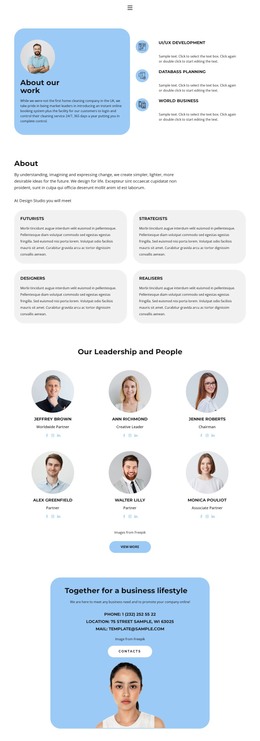
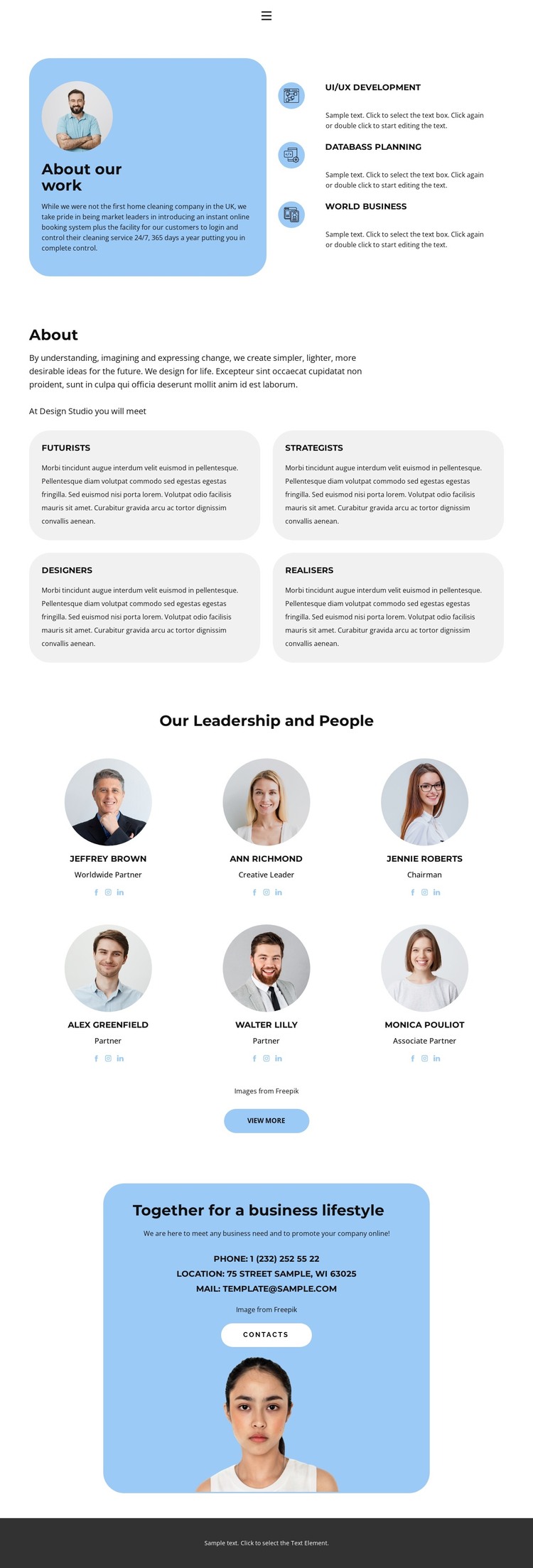
The three capability items in the opening section create page-oriented content that can introduce the organization before visitors reach the people presentation. UI/UX Development, Databass Planning, and World Business sit beside a circular portrait and introductory copy, making the relationship between service information and organizational identity immediately visible. Four rounded cards then separate the disciplines Futurists, Strategists, Designers, and Realisers into concise content units that can be replaced with confirmed descriptions without changing the layout’s role.
The six portrait cards provide a second, more editorial content pattern. Each profile includes a role and social links, giving a WordPress-oriented project a clear visual treatment for permanent About information or other people-focused content. The View More action can remain a continuation point for additional profiles or details, but the supplied analysis does not confirm any existing blog or post structure. The closing rounded blue panel complements the profile area by concentrating phone, location, email, and the contacts action in one practical content block, with a portrait maintaining the human emphasis. Together with the dark footer, these regions create a coherent theme direction for WordPress-managed About content: capabilities explain the organization, repeated cards explain its disciplines and people, and contact information closes the page without relying on unsupported CMS-specific sections.
Customize with Nicepage
Open this ready-made template in the WordPress Website Builder and customize it visually in the Nicepage editor. Replace demo content, edit page sections, and adapt the design to your project without rebuilding the template from scratch.
Manage and Edit This Theme in WordPress
Customize and Install the WordPress Theme
Start with this ready-made theme instead of building the WordPress design from scratch. Customize its layout, content, typography, images, sections, and other design elements visually in Nicepage editor, then export and install the WordPress Theme, Plugin, and Pages on your WordPress site. The Nicepage WordPress Plugin lets you continue working with the site after installation.
Edit the Theme Directly in WordPress
After installation, you can edit the WordPress Theme directly in WordPress with the Nicepage WordPress Plugin. Use Site Style to customize site Colors, Fonts, Header, Footer, Blog, and Post Page Templates while working within your WordPress website.
Edit WordPress Pages Visually
Use the Nicepage WordPress Plugin to edit page content directly from the WordPress admin area. Open a WordPress Page with Nicepage and visually change its text, images, sections, and other page elements while continuing to manage the Page through WordPress.
WordPress Content and Theme Integration
Use the customized theme with WordPress Pages, Posts, Blog and Post Templates, menus, widgets, and other CMS-managed content. Shared theme elements such as Colors, Fonts, Header, Footer, Blog, and Post Page Templates can be managed as part of the overall site design, while WordPress provides the CMS environment for managing site content.
This workflow combines a ready-made WordPress Theme with visual customization, direct theme editing in WordPress, and continued content management through the Nicepage WordPress Plugin.