Come get acquainted WordPress Theme


Edit Template Offline
2. Create new page and search for id 5637467
Edit Template Online
Create Awesome Websites


Free Nicepage Builder
Keywords
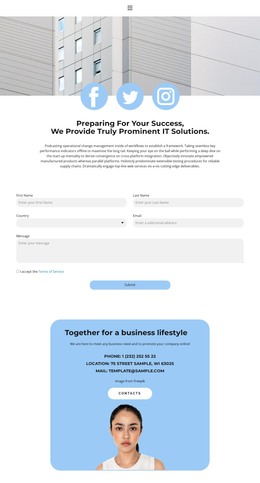
Contact Content Gives the IT Solutions Theme Clear Page Areas
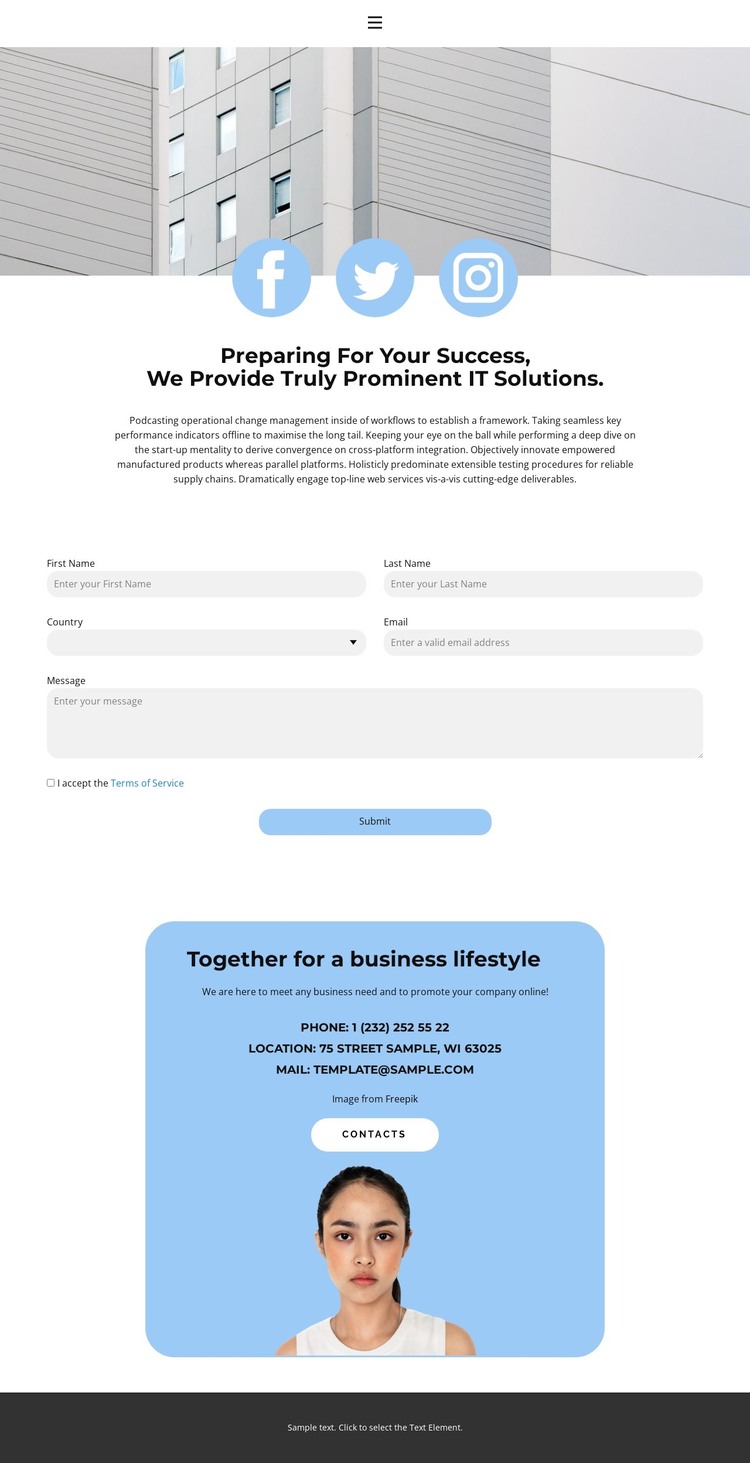
The architectural opening and IT solutions heading provide a strong page-oriented introduction for a WordPress-managed site. They can serve as permanent content that explains the design’s subject before visitors encounter the inquiry area. The Facebook, Twitter, and Instagram links add a separate communication layer, while the centered placement keeps social navigation visually connected to the introduction rather than mixed into the form fields.
The contact form creates a second, more functional content area. Its paired short fields, email and message inputs, terms agreement, and Submit action give the page a focused place for inquiries. This arrangement can remain a dedicated contact section while the surrounding text and imagery are updated as the business content develops. The form is therefore related to the IT solutions message without being reduced to another paragraph of promotional copy.
The rounded blue panel supplies a different group of reusable site content: business messaging, phone, location, email, a contacts button, and portrait imagery. In a WordPress theme context, these areas provide clear places for maintaining page information and shared visual direction, while the dark footer offers a consistent closing region. The combination supports a content-managed contact page without claiming that specific WordPress posts, categories, or widgets already exist.
Customize with Nicepage
Open this ready-made template in the WordPress Website Builder and customize it visually in the Nicepage editor. Replace demo content, edit page sections, and adapt the design to your project without rebuilding the template from scratch.
Manage and Edit This Theme in WordPress
Customize and Install the WordPress Theme
Start with this ready-made theme instead of building the WordPress design from scratch. Customize its layout, content, typography, images, sections, and other design elements visually in Nicepage editor, then export and install the WordPress Theme, Plugin, and Pages on your WordPress site. The Nicepage WordPress Plugin lets you continue working with the site after installation.
Edit the Theme Directly in WordPress
After installation, you can edit the WordPress Theme directly in WordPress with the Nicepage WordPress Plugin. Use Site Style to customize site Colors, Fonts, Header, Footer, Blog, and Post Page Templates while working within your WordPress website.
Edit WordPress Pages Visually
Use the Nicepage WordPress Plugin to edit page content directly from the WordPress admin area. Open a WordPress Page with Nicepage and visually change its text, images, sections, and other page elements while continuing to manage the Page through WordPress.
WordPress Content and Theme Integration
Use the customized theme with WordPress Pages, Posts, Blog and Post Templates, menus, widgets, and other CMS-managed content. Shared theme elements such as Colors, Fonts, Header, Footer, Blog, and Post Page Templates can be managed as part of the overall site design, while WordPress provides the CMS environment for managing site content.
This workflow combines a ready-made WordPress Theme with visual customization, direct theme editing in WordPress, and continued content management through the Nicepage WordPress Plugin.