Quick and easy WordPress Theme



Edit Template Offline
2. Create new page and search for id 5585338
Edit Template Online
Create Awesome Websites


Free Nicepage Builder
Keywords
Service and team content translate into organized WordPress pages
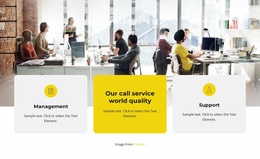
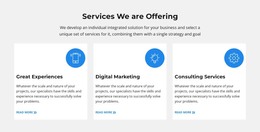
The three service cards provide a natural starting point for page-oriented business content. Management, service quality, and support are already separated visually, so a WordPress project can treat them as distinct informational areas while preserving the shared indigo, yellow, and blue design language. The solution and why-us sections add explanatory context around those services, making the page structure useful for permanent company content rather than only a short campaign message.
The creative capabilities create a second content grouping. Graphic design, video productions, and branding are presented as numbered statements, while the FAQ supplies four expandable question rows for supporting information. The six-image mosaic can accompany visual service material, and the university partnership section adds a separate institutional topic. Together, these areas suggest a content environment with service information, reference content, imagery, and company background without claiming that WordPress Posts, categories, or blog structures already exist in the template.
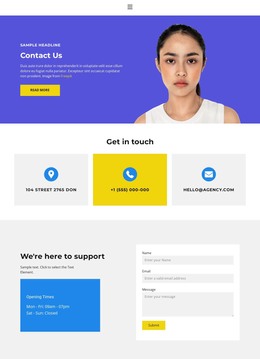
Team content and contact areas provide additional page relationships. Three portraits and a meeting photograph give the company profile a human dimension, while the plan-recommendation form and closing support section distinguish an initial request from ongoing assistance. In a WordPress theme implementation, these page-oriented areas can remain connected through the same visual system as the site grows. The result is a theme interpretation based on the template’s actual content zones, not merely on replacing the template name with WordPress terminology.
Customize with Nicepage
Open this ready-made template in the WordPress Website Builder and customize it visually in the Nicepage editor. Replace demo content, edit page sections, and adapt the design to your project without rebuilding the template from scratch.
Manage and Edit This Theme in WordPress
Customize and Install the WordPress Theme
Start with this ready-made theme instead of building the WordPress design from scratch. Customize its layout, content, typography, images, sections, and other design elements visually in Nicepage editor, then export and install the WordPress Theme, Plugin, and Pages on your WordPress site. The Nicepage WordPress Plugin lets you continue working with the site after installation.
Edit the Theme Directly in WordPress
After installation, you can edit the WordPress Theme directly in WordPress with the Nicepage WordPress Plugin. Use Site Style to customize site Colors, Fonts, Header, Footer, Blog, and Post Page Templates while working within your WordPress website.
Edit WordPress Pages Visually
Use the Nicepage WordPress Plugin to edit page content directly from the WordPress admin area. Open a WordPress Page with Nicepage and visually change its text, images, sections, and other page elements while continuing to manage the Page through WordPress.
WordPress Content and Theme Integration
Use the customized theme with WordPress Pages, Posts, Blog and Post Templates, menus, widgets, and other CMS-managed content. Shared theme elements such as Colors, Fonts, Header, Footer, Blog, and Post Page Templates can be managed as part of the overall site design, while WordPress provides the CMS environment for managing site content.
This workflow combines a ready-made WordPress Theme with visual customization, direct theme editing in WordPress, and continued content management through the Nicepage WordPress Plugin.