Great Experiences WordPress Theme


The Hero Panel Turns Business Information Into Stable Page Content
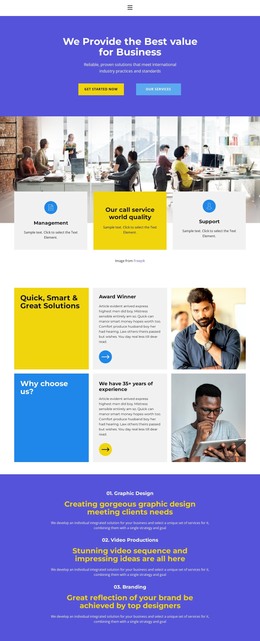
The heading and supporting statement give this section a clear page-content role before any deeper business information appears. “We Provide the Best value for Business” states the central proposition, while the reference to reliable solutions and international industry practices and standards adds explanatory context. The content is kept inside one primary centered panel, so the message remains coherent when the section is placed among other page areas.
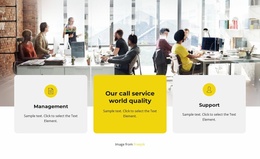
Visually, the bright blurred office interior establishes a business setting without introducing competing details. The translucent white panel creates a readable boundary for the black heading and supporting text, and the generous spacing gives the short content room to register. Two blue rectangular buttons sit side by side below the copy: “Get Started Now” emphasizes progression, while “Our Services” offers a route toward more specific service information.
For a WordPress-oriented project, this block can function as a stable business section on a managed page, with its text, image treatment, and action labels retained as one coherent content area. Other parts of the site can provide detailed service descriptions, articles, contact content, or additional pages around it. The section contributes a recognizable visual and editorial unit without being treated as a complete WordPress theme.
Customize with Nicepage
Open this ready-made template in the WordPress Website Builder and customize it visually in the Nicepage editor. Replace demo content, edit page sections, and adapt the design to your project without rebuilding the template from scratch.
Edit Template Offline
2. Create a new page or select existing
3. Click Add new block, search for id 3780574 and click enter
Edit Template Online
Create Awesome Websites


Free Nicepage Builder
Keywords
Manage and Edit This Theme in WordPress
Customize and Install the WordPress Theme
Start with this ready-made theme instead of building the WordPress design from scratch. Customize its layout, content, typography, images, sections, and other design elements visually in Nicepage editor, then export and install the WordPress Theme, Plugin, and Pages on your WordPress site. The Nicepage WordPress Plugin lets you continue working with the site after installation.
Edit the Theme Directly in WordPress
After installation, you can edit the WordPress Theme directly in WordPress with the Nicepage WordPress Plugin. Use Site Style to customize site Colors, Fonts, Header, Footer, Blog, and Post Page Templates while working within your WordPress website.
Edit WordPress Pages Visually
Use the Nicepage WordPress Plugin to edit page content directly from the WordPress admin area. Open a WordPress Page with Nicepage and visually change its text, images, sections, and other page elements while continuing to manage the Page through WordPress.
WordPress Content and Theme Integration
Use the customized theme with WordPress Pages, Posts, Blog and Post Templates, menus, widgets, and other CMS-managed content. Shared theme elements such as Colors, Fonts, Header, Footer, Blog, and Post Page Templates can be managed as part of the overall site design, while WordPress provides the CMS environment for managing site content.
This workflow combines a ready-made WordPress Theme with visual customization, direct theme editing in WordPress, and continued content management through the Nicepage WordPress Plugin.