Fashion inspiration WordPress Theme



A Balanced Image Pair for WordPress Page Content
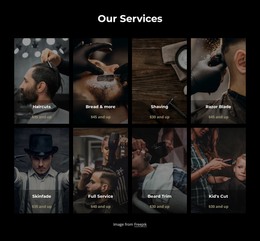
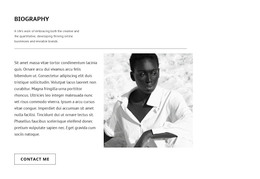
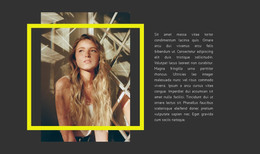
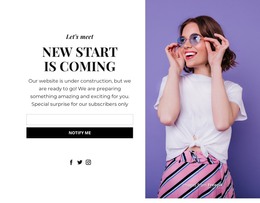
The two image panels function as a single visual content area, with equal-width columns giving the botanical styling scene and the fashion portrait comparable emphasis. On the left, materials and a person working with them suggest an active styling context; on the right, flowers, a blue outer garment, and the portrait create a more focused fashion image. Edge-to-edge cropping keeps both panels immersive, while the absence of text, borders, and overlays makes the photographs carry the section’s meaning.
For a WordPress-managed page, this block can provide stable visual content within a fashion or beauty-oriented section. It may sit alongside written descriptions, editorial material, or other page content without being treated as a complete theme or page structure. The section’s role is narrower and clear: it presents two complementary images in a repeatable arrangement that can be maintained as part of permanent page content.
The left-to-right relationship also gives editors a practical visual sequence. The botanical panel can introduce the styling process or material context, while the portrait can provide the human fashion result or a contrasting visual reference. Replacing either photograph would preserve the equal-column structure and static gallery behavior, allowing the WordPress page to evolve while this reusable section retains its balanced image-led identity.
Customize with Nicepage
Open this ready-made template in the WordPress Website Builder and customize it visually in the Nicepage editor. Replace demo content, edit page sections, and adapt the design to your project without rebuilding the template from scratch.
Edit Template Offline
2. Create a new page or select existing
3. Click Add new block, search for id 53111 and click enter
Edit Template Online
Create Awesome Websites


Free Nicepage Builder
Keywords
Manage and Edit This Theme in WordPress
Customize and Install the WordPress Theme
Start with this ready-made theme instead of building the WordPress design from scratch. Customize its layout, content, typography, images, sections, and other design elements visually in Nicepage editor, then export and install the WordPress Theme, Plugin, and Pages on your WordPress site. The Nicepage WordPress Plugin lets you continue working with the site after installation.
Edit the Theme Directly in WordPress
After installation, you can edit the WordPress Theme directly in WordPress with the Nicepage WordPress Plugin. Use Site Style to customize site Colors, Fonts, Header, Footer, Blog, and Post Page Templates while working within your WordPress website.
Edit WordPress Pages Visually
Use the Nicepage WordPress Plugin to edit page content directly from the WordPress admin area. Open a WordPress Page with Nicepage and visually change its text, images, sections, and other page elements while continuing to manage the Page through WordPress.
WordPress Content and Theme Integration
Use the customized theme with WordPress Pages, Posts, Blog and Post Templates, menus, widgets, and other CMS-managed content. Shared theme elements such as Colors, Fonts, Header, Footer, Blog, and Post Page Templates can be managed as part of the overall site design, while WordPress provides the CMS environment for managing site content.
This workflow combines a ready-made WordPress Theme with visual customization, direct theme editing in WordPress, and continued content management through the Nicepage WordPress Plugin.