Mountain Sports WordPress Theme


Stable Activity Content Within a WordPress-Managed Page
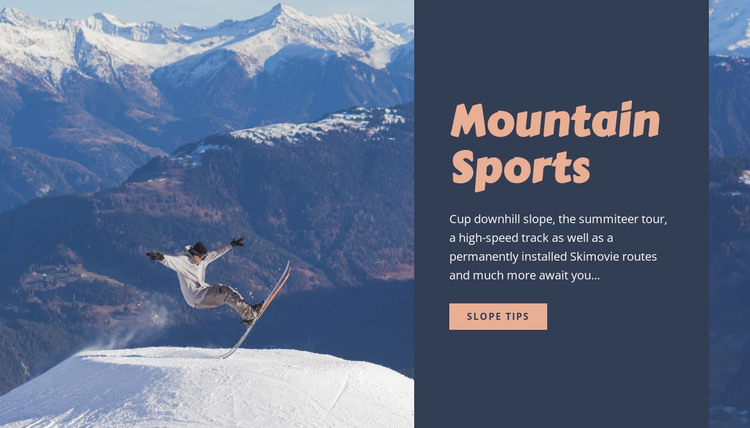
The “Mountain Sports” heading and its supporting description form stable introductory content that can fit naturally into a WordPress-managed page. The block does not depend on a stream of posts or a changing item feed; its purpose is to present a defined mountain-activity message through one image, one text panel, and one action. That makes the section suitable for a permanent destination or resort-related content area within a broader site.
The content panel gathers four activity references—downhill slope, summit tour, high-speed track, and Skimovie routes—under a single visual hierarchy. The large skier image gives those references an immediate outdoor setting, while the dark blue-gray background separates the written information from the photograph. The peach “Slope tips” button provides a clear route toward more specific information without turning the section into an entire conversion experience.
In a WordPress-oriented project, this block can remain a reusable visual section on a mountain sports, travel, or recreation page while the surrounding site handles other publishable content. Related pages can provide schedules, route details, destination information, or contact material, but this section keeps its own introductory role. Nicepage’s WordPress workflow can support editing the broader page context while preserving the block’s split composition and focused content relationship.
Customize with Nicepage
Open this ready-made template in the WordPress Website Builder and customize it visually in the Nicepage editor. Replace demo content, edit page sections, and adapt the design to your project without rebuilding the template from scratch.
Edit Template Offline
2. Create a new page or select existing
3. Click Add new block, search for id 52738 and click enter
Edit Template Online
Create Awesome Websites


Free Nicepage Builder
Keywords
Manage and Edit This Theme in WordPress
Customize and Install the WordPress Theme
Start with this ready-made theme instead of building the WordPress design from scratch. Customize its layout, content, typography, images, sections, and other design elements visually in Nicepage editor, then export and install the WordPress Theme, Plugin, and Pages on your WordPress site. The Nicepage WordPress Plugin lets you continue working with the site after installation.
Edit the Theme Directly in WordPress
After installation, you can edit the WordPress Theme directly in WordPress with the Nicepage WordPress Plugin. Use Site Style to customize site Colors, Fonts, Header, Footer, Blog, and Post Page Templates while working within your WordPress website.
Edit WordPress Pages Visually
Use the Nicepage WordPress Plugin to edit page content directly from the WordPress admin area. Open a WordPress Page with Nicepage and visually change its text, images, sections, and other page elements while continuing to manage the Page through WordPress.
WordPress Content and Theme Integration
Use the customized theme with WordPress Pages, Posts, Blog and Post Templates, menus, widgets, and other CMS-managed content. Shared theme elements such as Colors, Fonts, Header, Footer, Blog, and Post Page Templates can be managed as part of the overall site design, while WordPress provides the CMS environment for managing site content.
This workflow combines a ready-made WordPress Theme with visual customization, direct theme editing in WordPress, and continued content management through the Nicepage WordPress Plugin.