Activities Improves Mind WordPress Theme


The Consultation Message Works as Stable WordPress Page Content
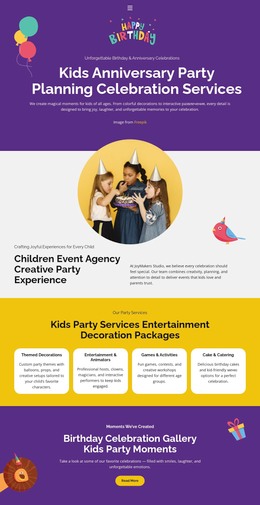
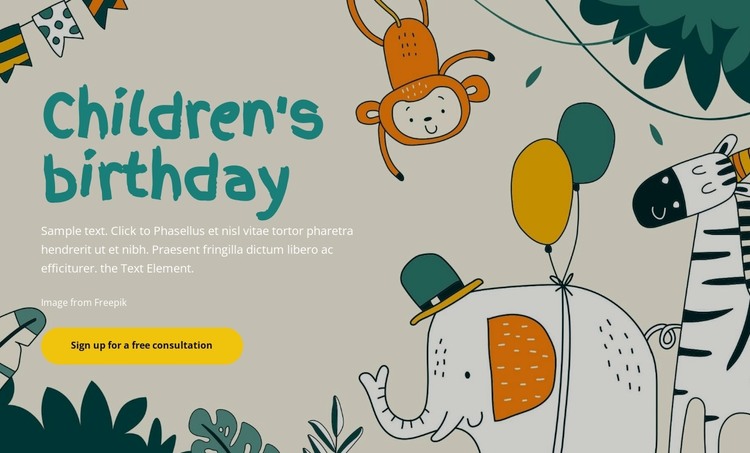
The block combines a specific subject, a short explanation, and one response point in a single visual arrangement. The large teal “Children's birthday” heading names the theme immediately, while the supporting paragraph beneath it can carry introductory wording for a consultation offering. Because the text sits on the left over a full-width illustrated background, the animal, balloon, foliage, and party imagery remains an important part of the message rather than a separate gallery or content list.
For a WordPress-managed page, this makes the section suitable as stable themed content that can sit within a broader service or event presentation. The yellow rounded “Sign up for a free consultation” button gives the hero a defined next step, while later page sections can explain the consultation, outline activities, or provide additional contact information. The block itself remains a reusable page section, not a complete WordPress Theme.
The visual and content relationship is also practical for ongoing page editing: the paragraph can be revised as the offer changes, while the heading, illustration, left-side alignment, and single CTA continue to preserve the section’s identity. WordPress-oriented content can therefore grow around a clear introductory region instead of forcing every detail into the hero. The result is a focused opening section that supports a larger managed page without claiming to contain the site’s full publishing structure.
Customize with Nicepage
Open this ready-made template in the WordPress Website Builder and customize it visually in the Nicepage editor. Replace demo content, edit page sections, and adapt the design to your project without rebuilding the template from scratch.
Edit Template Offline
2. Create a new page or select existing
3. Click Add new block, search for id 5091785 and click enter
Edit Template Online
Create Awesome Websites


Free Nicepage Builder
Keywords
Manage and Edit This Theme in WordPress
Customize and Install the WordPress Theme
Start with this ready-made theme instead of building the WordPress design from scratch. Customize its layout, content, typography, images, sections, and other design elements visually in Nicepage editor, then export and install the WordPress Theme, Plugin, and Pages on your WordPress site. The Nicepage WordPress Plugin lets you continue working with the site after installation.
Edit the Theme Directly in WordPress
After installation, you can edit the WordPress Theme directly in WordPress with the Nicepage WordPress Plugin. Use Site Style to customize site Colors, Fonts, Header, Footer, Blog, and Post Page Templates while working within your WordPress website.
Edit WordPress Pages Visually
Use the Nicepage WordPress Plugin to edit page content directly from the WordPress admin area. Open a WordPress Page with Nicepage and visually change its text, images, sections, and other page elements while continuing to manage the Page through WordPress.
WordPress Content and Theme Integration
Use the customized theme with WordPress Pages, Posts, Blog and Post Templates, menus, widgets, and other CMS-managed content. Shared theme elements such as Colors, Fonts, Header, Footer, Blog, and Post Page Templates can be managed as part of the overall site design, while WordPress provides the CMS environment for managing site content.
This workflow combines a ready-made WordPress Theme with visual customization, direct theme editing in WordPress, and continued content management through the Nicepage WordPress Plugin.