Three main steps WordPress Theme


Three Ordered Features Create Stable WordPress Page Content
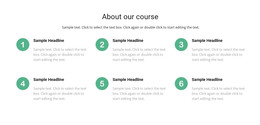
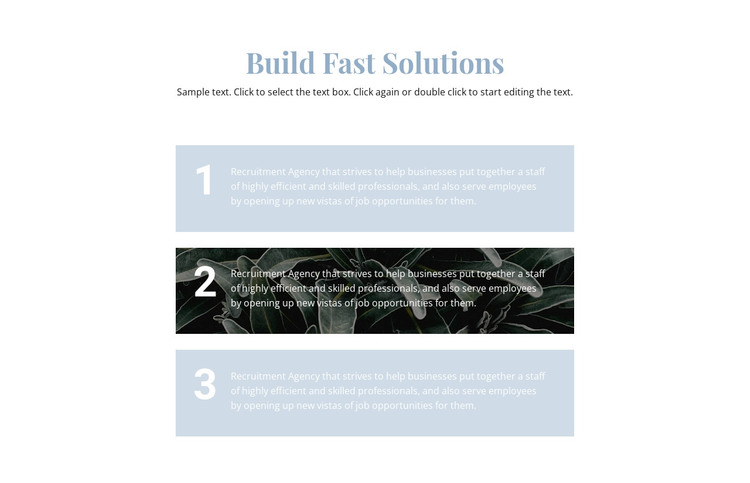
The section begins with the centered “Build Fast Solutions” heading and a supporting paragraph, giving the content a stable introduction before the repeated items appear. Three wide cards follow in a vertical stack, each marked with a number from 1 to 3 and paired with a descriptive paragraph. This makes the block suitable for permanent page content that explains a short sequence of features, stages, or informational points within a WordPress-managed page.
Its content organization is reinforced by a deliberate contrast between the cards. The first and third panels share a pale blue background, creating continuity across the outer items. The middle panel instead uses a dark botanical image, while large white numerals and smaller white copy preserve the numbered relationship inside the stronger visual treatment. That middle-card emphasis can help a reader notice the center stage without changing the order of the three-part message. In a WordPress-oriented project, the section can function as a stable features or process region alongside other page content, while its heading, paragraph, card sequence, and visual styling remain a self-contained design unit. It communicates the block’s information directly rather than relying on blog-specific or time-sensitive content.
Customize with Nicepage
Open this ready-made template in the WordPress Website Builder and customize it visually in the Nicepage editor. Replace demo content, edit page sections, and adapt the design to your project without rebuilding the template from scratch.
Edit Template Offline
2. Create a new page or select existing
3. Click Add new block, search for id 494472 and click enter
Edit Template Online
Create Awesome Websites


Free Nicepage Builder
Keywords
Manage and Edit This Theme in WordPress
Customize and Install the WordPress Theme
Start with this ready-made theme instead of building the WordPress design from scratch. Customize its layout, content, typography, images, sections, and other design elements visually in Nicepage editor, then export and install the WordPress Theme, Plugin, and Pages on your WordPress site. The Nicepage WordPress Plugin lets you continue working with the site after installation.
Edit the Theme Directly in WordPress
After installation, you can edit the WordPress Theme directly in WordPress with the Nicepage WordPress Plugin. Use Site Style to customize site Colors, Fonts, Header, Footer, Blog, and Post Page Templates while working within your WordPress website.
Edit WordPress Pages Visually
Use the Nicepage WordPress Plugin to edit page content directly from the WordPress admin area. Open a WordPress Page with Nicepage and visually change its text, images, sections, and other page elements while continuing to manage the Page through WordPress.
WordPress Content and Theme Integration
Use the customized theme with WordPress Pages, Posts, Blog and Post Templates, menus, widgets, and other CMS-managed content. Shared theme elements such as Colors, Fonts, Header, Footer, Blog, and Post Page Templates can be managed as part of the overall site design, while WordPress provides the CMS environment for managing site content.
This workflow combines a ready-made WordPress Theme with visual customization, direct theme editing in WordPress, and continued content management through the Nicepage WordPress Plugin.