Freelance people WordPress Theme


Stable Profile Content for a WordPress-Managed Page
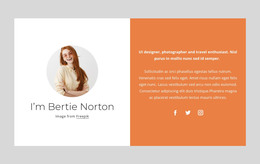
The section reads as durable page content because it introduces a person and their professional practice rather than presenting a dated editorial update. The circular portrait provides the personal reference, and its overlap with the white card keeps the image and written profile connected. Inside the card, the “Freelance Designer” heading is followed by copy about helping agencies and brands turn ideas into designs, with creativity and business awareness presented as related parts of the practice.
In a WordPress-oriented project, this block can serve as a stable about or profile region on a page while the surrounding site manages other content separately. The light gray background helps distinguish the section from adjacent page areas, and the centered arrangement remains easy to recognize when other blocks introduce projects, services, testimonials, or contact information. The “see design work” button can point to a selected-work page or section chosen for the containing project.
The block’s usefulness comes from the way it packages publishable profile information into one coherent visual unit. It does not need to represent a complete theme or define the site’s CMS structure. Instead, it gives a WordPress-managed page a clear personal introduction with a visible route toward supporting work, while the wider project determines how that destination and other content are maintained.
Customize with Nicepage
Open this ready-made template in the WordPress Website Builder and customize it visually in the Nicepage editor. Replace demo content, edit page sections, and adapt the design to your project without rebuilding the template from scratch.
Edit Template Offline
2. Create a new page or select existing
3. Click Add new block, search for id 471705 and click enter
Edit Template Online
Create Awesome Websites


Free Nicepage Builder
Keywords
Manage and Edit This Theme in WordPress
Customize and Install the WordPress Theme
Start with this ready-made theme instead of building the WordPress design from scratch. Customize its layout, content, typography, images, sections, and other design elements visually in Nicepage editor, then export and install the WordPress Theme, Plugin, and Pages on your WordPress site. The Nicepage WordPress Plugin lets you continue working with the site after installation.
Edit the Theme Directly in WordPress
After installation, you can edit the WordPress Theme directly in WordPress with the Nicepage WordPress Plugin. Use Site Style to customize site Colors, Fonts, Header, Footer, Blog, and Post Page Templates while working within your WordPress website.
Edit WordPress Pages Visually
Use the Nicepage WordPress Plugin to edit page content directly from the WordPress admin area. Open a WordPress Page with Nicepage and visually change its text, images, sections, and other page elements while continuing to manage the Page through WordPress.
WordPress Content and Theme Integration
Use the customized theme with WordPress Pages, Posts, Blog and Post Templates, menus, widgets, and other CMS-managed content. Shared theme elements such as Colors, Fonts, Header, Footer, Blog, and Post Page Templates can be managed as part of the overall site design, while WordPress provides the CMS environment for managing site content.
This workflow combines a ready-made WordPress Theme with visual customization, direct theme editing in WordPress, and continued content management through the Nicepage WordPress Plugin.