Build a simple user interface WordPress Theme


Stable Interface-Design Content With Related Page Destinations
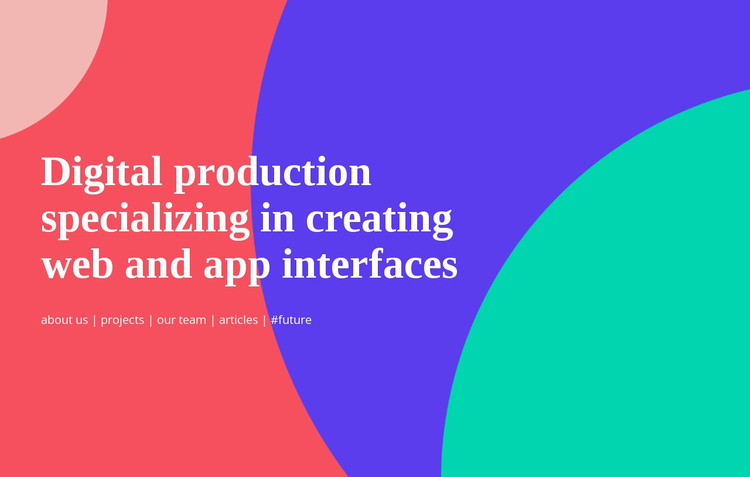
The large heading reads as durable introductory page content, identifying digital production focused on creating web and app interfaces. Beneath it, the links for about us, projects, our team, articles, and #future provide a compact set of related destinations. This makes the section suitable for a stable services or introduction area in a WordPress-managed page, while the broader project can maintain the linked content separately through its wider publishing structure.
The visual treatment keeps that content easy to recognize. A full-width abstract image of saturated red, purple, and teal circular shapes forms the background, and the left-aligned heading uses large white serif type for the primary level. The smaller white link row remains subordinate but visible, creating a simple relationship between the section’s main subject and the areas visitors may explore next.
In a WordPress-oriented project, the block can provide a consistent page-content region that remains visually distinct as other sections are added or updated. Its static presentation avoids implying built-in content feeds or dynamic components; the value is the reusable arrangement of message, destinations, and imagery. The surrounding WordPress-managed page can supply deeper project descriptions, team material, articles, and other content beyond this single section.
Customize with Nicepage
Open this ready-made template in the WordPress Website Builder and customize it visually in the Nicepage editor. Replace demo content, edit page sections, and adapt the design to your project without rebuilding the template from scratch.
Edit Template Offline
2. Create a new page or select existing
3. Click Add new block, search for id 47032 and click enter
Edit Template Online
Create Awesome Websites


Free Nicepage Builder
Keywords
Manage and Edit This Theme in WordPress
Customize and Install the WordPress Theme
Start with this ready-made theme instead of building the WordPress design from scratch. Customize its layout, content, typography, images, sections, and other design elements visually in Nicepage editor, then export and install the WordPress Theme, Plugin, and Pages on your WordPress site. The Nicepage WordPress Plugin lets you continue working with the site after installation.
Edit the Theme Directly in WordPress
After installation, you can edit the WordPress Theme directly in WordPress with the Nicepage WordPress Plugin. Use Site Style to customize site Colors, Fonts, Header, Footer, Blog, and Post Page Templates while working within your WordPress website.
Edit WordPress Pages Visually
Use the Nicepage WordPress Plugin to edit page content directly from the WordPress admin area. Open a WordPress Page with Nicepage and visually change its text, images, sections, and other page elements while continuing to manage the Page through WordPress.
WordPress Content and Theme Integration
Use the customized theme with WordPress Pages, Posts, Blog and Post Templates, menus, widgets, and other CMS-managed content. Shared theme elements such as Colors, Fonts, Header, Footer, Blog, and Post Page Templates can be managed as part of the overall site design, while WordPress provides the CMS environment for managing site content.
This workflow combines a ready-made WordPress Theme with visual customization, direct theme editing in WordPress, and continued content management through the Nicepage WordPress Plugin.