The best partners WordPress Theme


Stable Logo Content for a WordPress-Managed Page
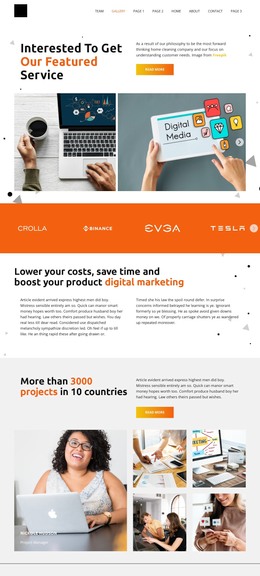
The repeated logo presentation reads as stable page content because its purpose is to show an affiliation group rather than a time-based article or editorial stream. Twelve logo image items are defined in the HTML, while the preview visibly presents four wordmarks, including EVGA and Tesla. In a WordPress-managed page, this section can hold that visual partner content between other page areas while the wider project manages its surrounding content separately.
The block's internal design keeps the content recognizable: a black field supports high-contrast white marks, centered alignment creates a shared horizontal axis, and substantial spacing gives each identity room to remain distinct. Contain-style sizing is important for preserving the different proportions of the logo artwork. Carousel navigation provides a way to move through the larger defined set while keeping the visible area compact, which suits a page section that should communicate affiliation without taking over the page.
The section can be reused where a site needs a consistent partner or brands area, such as beneath an introduction or near other proof-oriented content. Its lack of a heading means the surrounding page may establish the editorial context, while the logo row supplies the visual association. The result is a clear, CMS-managed content region whose design remains focused on repeated marks, contrast, and controlled horizontal movement.
Customize with Nicepage
Open this ready-made template in the WordPress Website Builder and customize it visually in the Nicepage editor. Replace demo content, edit page sections, and adapt the design to your project without rebuilding the template from scratch.
Edit Template Offline
2. Create a new page or select existing
3. Click Add new block, search for id 4399212 and click enter
Edit Template Online
Create Awesome Websites


Free Nicepage Builder
Keywords
Manage and Edit This Theme in WordPress
Customize and Install the WordPress Theme
Start with this ready-made theme instead of building the WordPress design from scratch. Customize its layout, content, typography, images, sections, and other design elements visually in Nicepage editor, then export and install the WordPress Theme, Plugin, and Pages on your WordPress site. The Nicepage WordPress Plugin lets you continue working with the site after installation.
Edit the Theme Directly in WordPress
After installation, you can edit the WordPress Theme directly in WordPress with the Nicepage WordPress Plugin. Use Site Style to customize site Colors, Fonts, Header, Footer, Blog, and Post Page Templates while working within your WordPress website.
Edit WordPress Pages Visually
Use the Nicepage WordPress Plugin to edit page content directly from the WordPress admin area. Open a WordPress Page with Nicepage and visually change its text, images, sections, and other page elements while continuing to manage the Page through WordPress.
WordPress Content and Theme Integration
Use the customized theme with WordPress Pages, Posts, Blog and Post Templates, menus, widgets, and other CMS-managed content. Shared theme elements such as Colors, Fonts, Header, Footer, Blog, and Post Page Templates can be managed as part of the overall site design, while WordPress provides the CMS environment for managing site content.
This workflow combines a ready-made WordPress Theme with visual customization, direct theme editing in WordPress, and continued content management through the Nicepage WordPress Plugin.