Pizza, burritos & more WordPress Theme


The left text panel gives WordPress page content a clear food narrative
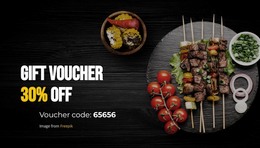
The left side of the block carries the permanent message through the “Our Food” heading and one centered paragraph. The copy describes global flavours and ingredients, a colourful and eclectic food philosophy, and a distinctive culinary approach. A short red-orange divider sits beneath the heading, helping separate the title from the explanation without introducing another content group. This arrangement makes the section read as an intentional food-concept statement rather than a loose collection of decorative elements.
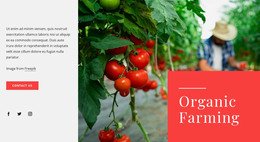
The large photograph on the right adds a visual reference for that message. Its dark, richly colored treatment creates a strong counterweight to the pale text panel and light gray outer background, while the rectangular image remains clearly separate from the written content. Since the block is static and has no form, gallery, or other confirmed interactive component, its primary value is presenting stable information with a strong text-to-image relationship.
Within a WordPress-managed page, the section can serve as lasting food or restaurant content alongside other page areas. The broader project may contain menus, service details, posts, or contact information, but this reusable block can retain its own heading, culinary explanation, divider, and supporting photograph. That makes it suitable for a consistent page section without treating the block itself as a complete theme or site.
Customize with Nicepage
Open this ready-made template in the WordPress Website Builder and customize it visually in the Nicepage editor. Replace demo content, edit page sections, and adapt the design to your project without rebuilding the template from scratch.
Edit Template Offline
2. Create a new page or select existing
3. Click Add new block, search for id 41366 and click enter
Edit Template Online
Create Awesome Websites


Free Nicepage Builder
Keywords
Manage and Edit This Theme in WordPress
Customize and Install the WordPress Theme
Start with this ready-made theme instead of building the WordPress design from scratch. Customize its layout, content, typography, images, sections, and other design elements visually in Nicepage editor, then export and install the WordPress Theme, Plugin, and Pages on your WordPress site. The Nicepage WordPress Plugin lets you continue working with the site after installation.
Edit the Theme Directly in WordPress
After installation, you can edit the WordPress Theme directly in WordPress with the Nicepage WordPress Plugin. Use Site Style to customize site Colors, Fonts, Header, Footer, Blog, and Post Page Templates while working within your WordPress website.
Edit WordPress Pages Visually
Use the Nicepage WordPress Plugin to edit page content directly from the WordPress admin area. Open a WordPress Page with Nicepage and visually change its text, images, sections, and other page elements while continuing to manage the Page through WordPress.
WordPress Content and Theme Integration
Use the customized theme with WordPress Pages, Posts, Blog and Post Templates, menus, widgets, and other CMS-managed content. Shared theme elements such as Colors, Fonts, Header, Footer, Blog, and Post Page Templates can be managed as part of the overall site design, while WordPress provides the CMS environment for managing site content.
This workflow combines a ready-made WordPress Theme with visual customization, direct theme editing in WordPress, and continued content management through the Nicepage WordPress Plugin.