Essential wedding planning tips WordPress Theme


Three Floral Cards Organize Stable WordPress Page Content
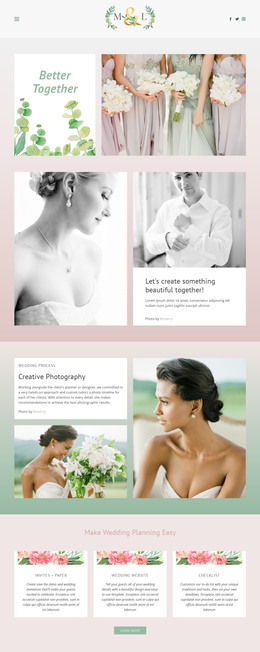
The centered heading “Make Wedding Planning Easy” establishes a clear introduction for page content about wedding-planning services. Below it, the three cards separate “Invites + Paper,” “Wedding Website,” and “Checklist” into recognizable content areas. Each card follows the same sequence: a floral image strip, a visible service title, and descriptive text. That repeated pattern gives a WordPress-managed services page a consistent way to present several related offerings while keeping each topic distinct.
The soft blush background frames the section, and the white rectangular cards create a clear reading surface for the three service descriptions. Muted gray typography and generous spacing support a calm presentation, while the single three-column row lets visitors compare the service labels without moving through a long uninterrupted passage. The filler paragraphs occupy defined text areas and can be replaced with final editorial or service copy while preserving the existing hierarchy.
Within a WordPress-oriented project, this block can provide stable content for a services or planning page while other site areas handle additional pages and regularly updated material. The visual pattern remains useful when the wording changes because the card structure already separates the three planning themes. Nicepage supports editing page content through its WordPress Plugin, allowing this section to participate in a wider CMS-managed page while retaining its focused three-offering role.
Customize with Nicepage
Open this ready-made template in the WordPress Website Builder and customize it visually in the Nicepage editor. Replace demo content, edit page sections, and adapt the design to your project without rebuilding the template from scratch.
Edit Template Offline
2. Create a new page or select existing
3. Click Add new block, search for id 41123 and click enter
Edit Template Online
Create Awesome Websites


Free Nicepage Builder
Keywords
Manage and Edit This Theme in WordPress
Customize and Install the WordPress Theme
Start with this ready-made theme instead of building the WordPress design from scratch. Customize its layout, content, typography, images, sections, and other design elements visually in Nicepage editor, then export and install the WordPress Theme, Plugin, and Pages on your WordPress site. The Nicepage WordPress Plugin lets you continue working with the site after installation.
Edit the Theme Directly in WordPress
After installation, you can edit the WordPress Theme directly in WordPress with the Nicepage WordPress Plugin. Use Site Style to customize site Colors, Fonts, Header, Footer, Blog, and Post Page Templates while working within your WordPress website.
Edit WordPress Pages Visually
Use the Nicepage WordPress Plugin to edit page content directly from the WordPress admin area. Open a WordPress Page with Nicepage and visually change its text, images, sections, and other page elements while continuing to manage the Page through WordPress.
WordPress Content and Theme Integration
Use the customized theme with WordPress Pages, Posts, Blog and Post Templates, menus, widgets, and other CMS-managed content. Shared theme elements such as Colors, Fonts, Header, Footer, Blog, and Post Page Templates can be managed as part of the overall site design, while WordPress provides the CMS environment for managing site content.
This workflow combines a ready-made WordPress Theme with visual customization, direct theme editing in WordPress, and continued content management through the Nicepage WordPress Plugin.