Healthy foods WordPress Theme


Mission Copy and Lifestyle Imagery Form Stable WordPress Page Content
The “Our Mission” label and “Be Happy” heading give this block the character of stable page content rather than a stream of dated updates. One supporting paragraph sits beneath the main heading, keeping the explanation concentrated in the left text area. The image attribution line and “Read More” action extend that local content path, so the section can present a guiding message before a visitor continues to another part of the page.
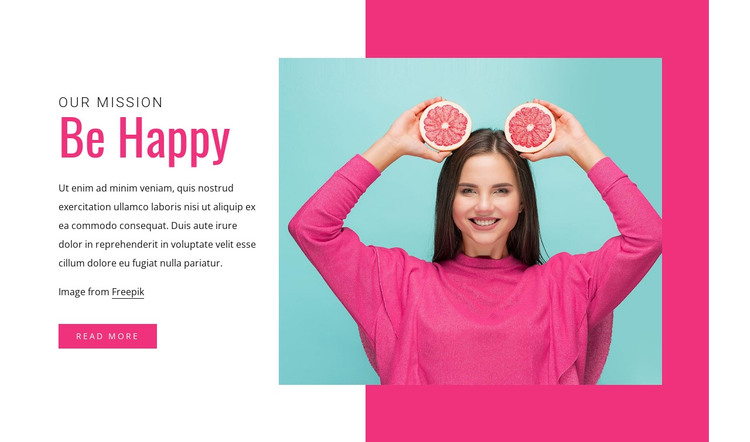
The right-hand square photograph shows a woman holding two grapefruit halves near her face. A tall pink accent shape behind the image creates a defined media area, while pink emphasis in the heading and button ties the photograph to the text visually. The white background and generous spacing preserve a clear separation between the explanatory copy and the lifestyle image, making the section recognizable even when placed among other page content.
In a WordPress-managed project, this block can serve as a reusable mission or introductory section on a stable page. Its headings, paragraph, attribution, image, and action remain a coherent visual content unit that can sit within a broader theme presentation. The section does not need to carry the whole site's publishing structure; its role is to give one page area a consistent message and image-led identity while other content is managed around it.
Customize with Nicepage
Open this ready-made template in the WordPress Website Builder and customize it visually in the Nicepage editor. Replace demo content, edit page sections, and adapt the design to your project without rebuilding the template from scratch.
Edit Template Offline
2. Create a new page or select existing
3. Click Add new block, search for id 391381 and click enter
Edit Template Online
Create Awesome Websites


Free Nicepage Builder
Keywords
Manage and Edit This Theme in WordPress
Customize and Install the WordPress Theme
Start with this ready-made theme instead of building the WordPress design from scratch. Customize its layout, content, typography, images, sections, and other design elements visually in Nicepage editor, then export and install the WordPress Theme, Plugin, and Pages on your WordPress site. The Nicepage WordPress Plugin lets you continue working with the site after installation.
Edit the Theme Directly in WordPress
After installation, you can edit the WordPress Theme directly in WordPress with the Nicepage WordPress Plugin. Use Site Style to customize site Colors, Fonts, Header, Footer, Blog, and Post Page Templates while working within your WordPress website.
Edit WordPress Pages Visually
Use the Nicepage WordPress Plugin to edit page content directly from the WordPress admin area. Open a WordPress Page with Nicepage and visually change its text, images, sections, and other page elements while continuing to manage the Page through WordPress.
WordPress Content and Theme Integration
Use the customized theme with WordPress Pages, Posts, Blog and Post Templates, menus, widgets, and other CMS-managed content. Shared theme elements such as Colors, Fonts, Header, Footer, Blog, and Post Page Templates can be managed as part of the overall site design, while WordPress provides the CMS environment for managing site content.
This workflow combines a ready-made WordPress Theme with visual customization, direct theme editing in WordPress, and continued content management through the Nicepage WordPress Plugin.