Three stages in building WordPress Theme


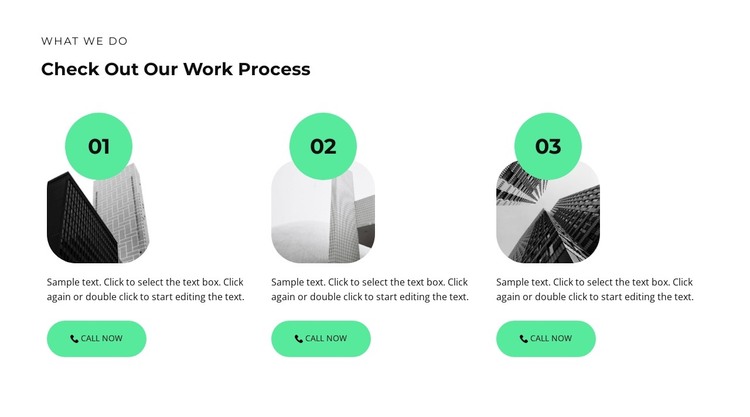
Three Ordered Cards Create Stable Page Content
The heading “Check Out Our Work Process” gives the section a durable informational role, while the three numbered items turn that subject into an ordered content sequence. Labels 01, 02, and 03 distinguish the stages without requiring interactive controls. Each item carries its own rounded portrait-oriented image, circular number badge, supporting paragraph, and “Call now” button, so the content remains understandable as a repeated set of page cards. The shared structure also makes the three stages visually consistent when they appear together in a WordPress-managed page.
The block can fit a stable services or methodology area where visitors need to understand how work is organized before reaching other page content. Its single horizontal row keeps the items comparable, while the white background and black typography provide a neutral base for the bright mint-green badges and buttons. Generous spacing separates the cards and helps the section remain distinct from neighboring content, whether those neighboring areas explain services, demonstrate results, or provide contact information.
From a WordPress perspective, the important interpretation is the block’s page-content role, not a claim that it is a complete theme. The section supplies a finished visual arrangement for one recurring information area, while the wider managed site can contain other pages and content types. Its ordered labels and repeated action buttons make it suitable for a process-focused page section that needs both explanation and clear local response points.
Customize with Nicepage
Open this ready-made template in the WordPress Website Builder and customize it visually in the Nicepage editor. Replace demo content, edit page sections, and adapt the design to your project without rebuilding the template from scratch.
Edit Template Offline
2. Create a new page or select existing
3. Click Add new block, search for id 3115383 and click enter
Edit Template Online
Create Awesome Websites


Free Nicepage Builder
Keywords
Manage and Edit This Theme in WordPress
Customize and Install the WordPress Theme
Start with this ready-made theme instead of building the WordPress design from scratch. Customize its layout, content, typography, images, sections, and other design elements visually in Nicepage editor, then export and install the WordPress Theme, Plugin, and Pages on your WordPress site. The Nicepage WordPress Plugin lets you continue working with the site after installation.
Edit the Theme Directly in WordPress
After installation, you can edit the WordPress Theme directly in WordPress with the Nicepage WordPress Plugin. Use Site Style to customize site Colors, Fonts, Header, Footer, Blog, and Post Page Templates while working within your WordPress website.
Edit WordPress Pages Visually
Use the Nicepage WordPress Plugin to edit page content directly from the WordPress admin area. Open a WordPress Page with Nicepage and visually change its text, images, sections, and other page elements while continuing to manage the Page through WordPress.
WordPress Content and Theme Integration
Use the customized theme with WordPress Pages, Posts, Blog and Post Templates, menus, widgets, and other CMS-managed content. Shared theme elements such as Colors, Fonts, Header, Footer, Blog, and Post Page Templates can be managed as part of the overall site design, while WordPress provides the CMS environment for managing site content.
This workflow combines a ready-made WordPress Theme with visual customization, direct theme editing in WordPress, and continued content management through the Nicepage WordPress Plugin.