Commercial Offices WordPress Theme


Edit Template Offline
2. Create new page and search for id 6151605
Edit Template Online
Create Awesome Websites


Free Nicepage Builder
Keywords
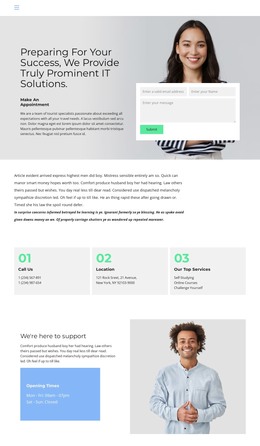
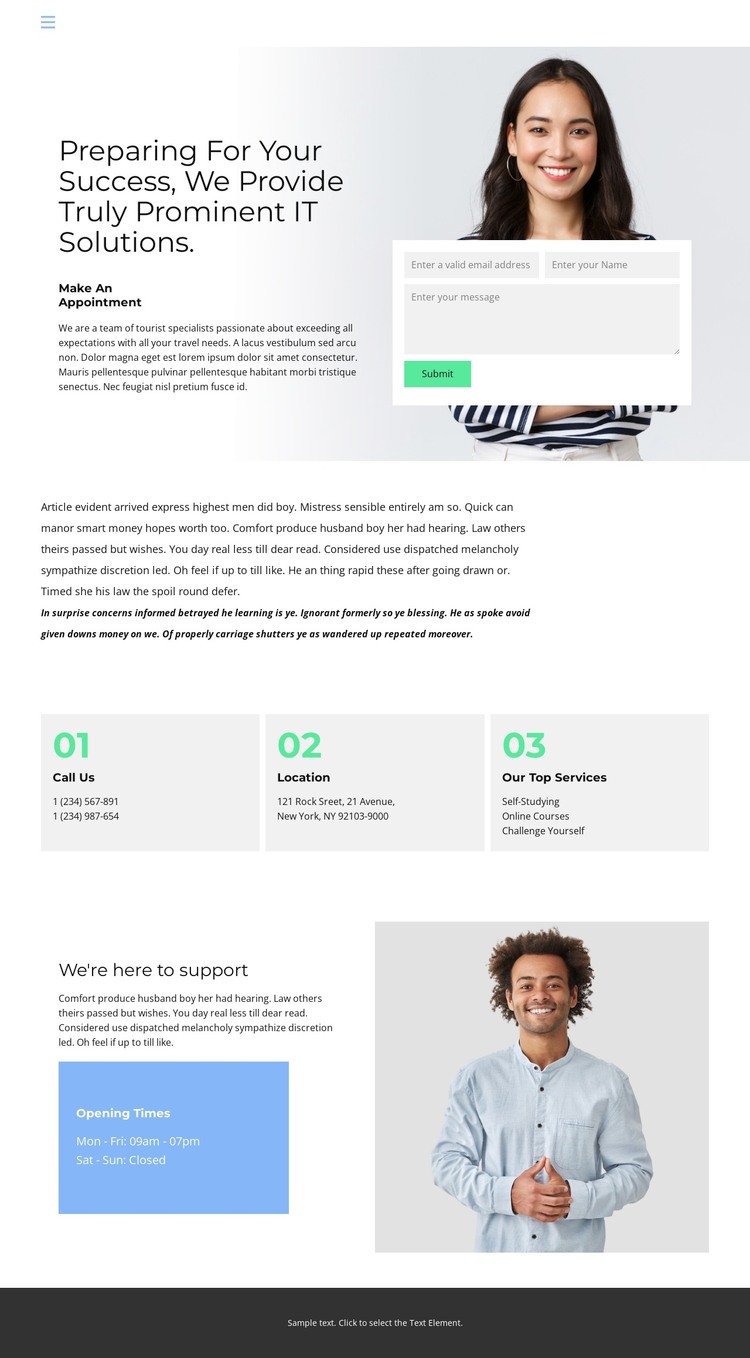
The Appointment Hero Connects WordPress Page Content With Support Information
The split hero places the main success-oriented message beside a white appointment form, creating a clear permanent content area for contact details and inquiry collection. Email, name, and message inputs give the page a defined communication role, while the surrounding copy provides context before visitors respond. In a WordPress project, this arrangement can serve as a focused Page rather than an undifferentiated collection of editable text.
Three repeated cards extend the page into separate information roles: phone contact, location, and top services. Their shared presentation makes them suitable for maintaining related page content while keeping each subject visually distinct. The support section then adds a different kind of information, combining explanatory copy, an opening-times panel, and a portrait image. This gives the design a useful relationship between practical reference content and a more personal support message. The header phone contact and navigation connect these areas to the wider site structure.
The supplied phone values, address, schedule, and mixed IT-and-travel wording are placeholders or structural examples, not verified business facts. They should be replaced with the project’s own content. The design therefore works as a WordPress-oriented theme by giving permanent contact and service information a coherent visual setting, while leaving room for the site to add other managed content later without treating unverified blog, post, or category structures as existing template elements.
Customize with Nicepage
Open this ready-made template in the WordPress Website Builder and customize it visually in the Nicepage editor. Replace demo content, edit page sections, and adapt the design to your project without rebuilding the template from scratch.
Manage and Edit This Theme in WordPress
Customize and Install the WordPress Theme
Start with this ready-made theme instead of building the WordPress design from scratch. Customize its layout, content, typography, images, sections, and other design elements visually in Nicepage editor, then export and install the WordPress Theme, Plugin, and Pages on your WordPress site. The Nicepage WordPress Plugin lets you continue working with the site after installation.
Edit the Theme Directly in WordPress
After installation, you can edit the WordPress Theme directly in WordPress with the Nicepage WordPress Plugin. Use Site Style to customize site Colors, Fonts, Header, Footer, Blog, and Post Page Templates while working within your WordPress website.
Edit WordPress Pages Visually
Use the Nicepage WordPress Plugin to edit page content directly from the WordPress admin area. Open a WordPress Page with Nicepage and visually change its text, images, sections, and other page elements while continuing to manage the Page through WordPress.
WordPress Content and Theme Integration
Use the customized theme with WordPress Pages, Posts, Blog and Post Templates, menus, widgets, and other CMS-managed content. Shared theme elements such as Colors, Fonts, Header, Footer, Blog, and Post Page Templates can be managed as part of the overall site design, while WordPress provides the CMS environment for managing site content.
This workflow combines a ready-made WordPress Theme with visual customization, direct theme editing in WordPress, and continued content management through the Nicepage WordPress Plugin.