We are the experts in developing European tours WordPress Theme


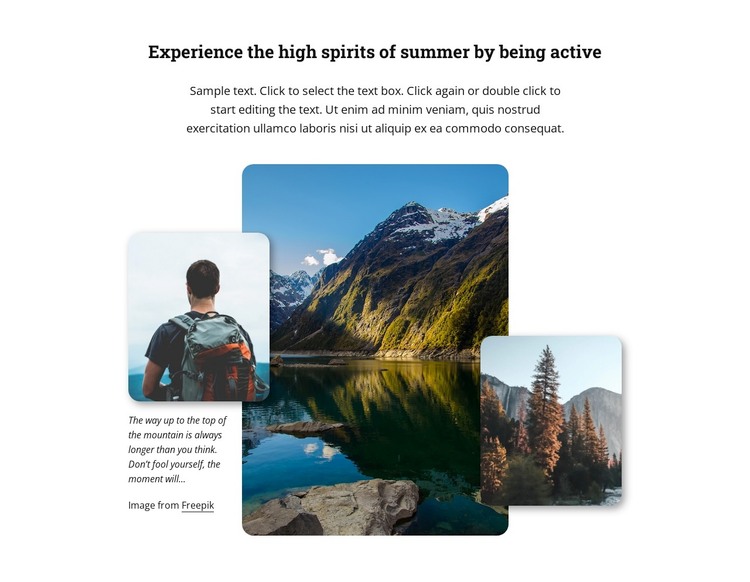
A Travel Content Area Built Around One Central Landscape
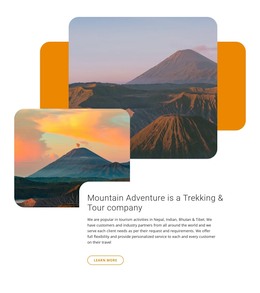
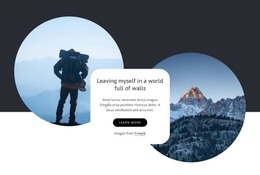
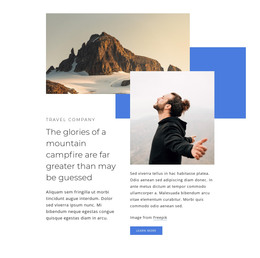
The large mountain-and-lake photograph gives the section its primary subject, while the overlapping hiking portrait and forest photograph broaden the outdoor theme without breaking the composition into separate cards. The heading frames the imagery around active summer experiences, and the supporting text placed beside the image group creates a readable page-content relationship. The central image carries the greatest visual weight; the two smaller photographs provide adjacent human and environmental references. Rounded corners keep the three images visually related, and the Freepik attribution remains a visible part of the section rather than an unrelated page detail.
For a WordPress-oriented project, this block can serve as stable content on a travel, tourism, or adventure page. Its heading and descriptive text can remain part of a publishable page section, while the surrounding site adds other content areas for destinations, tour information, booking details, or contact options. The block should be understood as one reusable visual region within the broader WordPress-managed site, not as a complete WordPress Theme. Its static interaction also makes the content straightforward to place beside other page sections: visitors read the introductory message and scan the layered images without depending on a carousel, form, or expandable component. When the section is adapted, the image credit should continue to accompany the photography it identifies.
Customize with Nicepage
Open this ready-made template in the WordPress Website Builder and customize it visually in the Nicepage editor. Replace demo content, edit page sections, and adapt the design to your project without rebuilding the template from scratch.
Edit Template Offline
2. Create a new page or select existing
3. Click Add new block, search for id 2518460 and click enter
Edit Template Online
Create Awesome Websites


Free Nicepage Builder
Keywords
Manage and Edit This Theme in WordPress
Customize and Install the WordPress Theme
Start with this ready-made theme instead of building the WordPress design from scratch. Customize its layout, content, typography, images, sections, and other design elements visually in Nicepage editor, then export and install the WordPress Theme, Plugin, and Pages on your WordPress site. The Nicepage WordPress Plugin lets you continue working with the site after installation.
Edit the Theme Directly in WordPress
After installation, you can edit the WordPress Theme directly in WordPress with the Nicepage WordPress Plugin. Use Site Style to customize site Colors, Fonts, Header, Footer, Blog, and Post Page Templates while working within your WordPress website.
Edit WordPress Pages Visually
Use the Nicepage WordPress Plugin to edit page content directly from the WordPress admin area. Open a WordPress Page with Nicepage and visually change its text, images, sections, and other page elements while continuing to manage the Page through WordPress.
WordPress Content and Theme Integration
Use the customized theme with WordPress Pages, Posts, Blog and Post Templates, menus, widgets, and other CMS-managed content. Shared theme elements such as Colors, Fonts, Header, Footer, Blog, and Post Page Templates can be managed as part of the overall site design, while WordPress provides the CMS environment for managing site content.
This workflow combines a ready-made WordPress Theme with visual customization, direct theme editing in WordPress, and continued content management through the Nicepage WordPress Plugin.