Maximum space WordPress Theme


Structured Decor Guidance for a WordPress-Managed Page
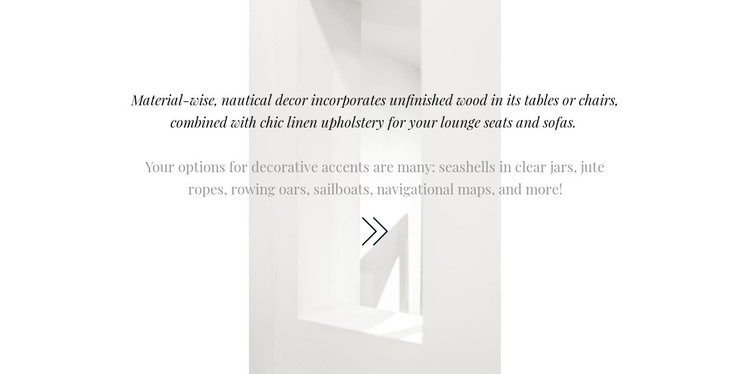
The material guidance in this block reads as stable page content: it explains a nautical design concept through specific furniture materials and decorative references. The opening passage connects unfinished wood with linen upholstery, giving the section a practical visual foundation. The following passage broadens the idea with seashells, jute ropes, rowing oars, sailboats, and navigational maps. In a WordPress-managed project, this kind of focused subject content can occupy a permanent design or services-related section while the surrounding site handles other editorial or page information.
The visual treatment keeps that content self-contained. Rather than separating image and copy into two columns, the section centers both passages over one narrow portrait-oriented interior image. The circular icon beneath adds a modest finishing detail, and the generous white margins distinguish the content area from whatever appears before or after it. Italic serif typography gives the copy an editorial quality, while the lighter gray second passage establishes a secondary level without introducing another content component.
This interpretation suits a WordPress page where the section needs to remain visually consistent as part of a larger design. It can present one clearly bounded decor idea, while other page sections provide navigation, portfolio material, inquiries, or broader site content. The block contributes publishable visual content without needing to carry the structure of the entire WordPress project.
Customize with Nicepage
Open this ready-made template in the WordPress Website Builder and customize it visually in the Nicepage editor. Replace demo content, edit page sections, and adapt the design to your project without rebuilding the template from scratch.
Edit Template Offline
2. Create a new page or select existing
3. Click Add new block, search for id 238069 and click enter
Edit Template Online
Create Awesome Websites


Free Nicepage Builder
Keywords
Manage and Edit This Theme in WordPress
Customize and Install the WordPress Theme
Start with this ready-made theme instead of building the WordPress design from scratch. Customize its layout, content, typography, images, sections, and other design elements visually in Nicepage editor, then export and install the WordPress Theme, Plugin, and Pages on your WordPress site. The Nicepage WordPress Plugin lets you continue working with the site after installation.
Edit the Theme Directly in WordPress
After installation, you can edit the WordPress Theme directly in WordPress with the Nicepage WordPress Plugin. Use Site Style to customize site Colors, Fonts, Header, Footer, Blog, and Post Page Templates while working within your WordPress website.
Edit WordPress Pages Visually
Use the Nicepage WordPress Plugin to edit page content directly from the WordPress admin area. Open a WordPress Page with Nicepage and visually change its text, images, sections, and other page elements while continuing to manage the Page through WordPress.
WordPress Content and Theme Integration
Use the customized theme with WordPress Pages, Posts, Blog and Post Templates, menus, widgets, and other CMS-managed content. Shared theme elements such as Colors, Fonts, Header, Footer, Blog, and Post Page Templates can be managed as part of the overall site design, while WordPress provides the CMS environment for managing site content.
This workflow combines a ready-made WordPress Theme with visual customization, direct theme editing in WordPress, and continued content management through the Nicepage WordPress Plugin.