Design leader resume WordPress Theme


A Stable Art Director Profile for WordPress Page Content
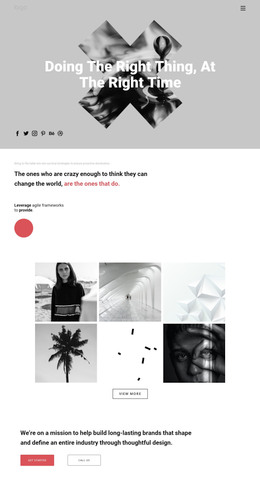
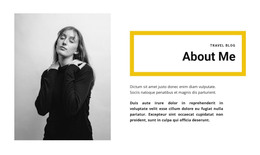
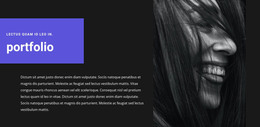
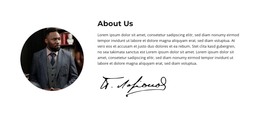
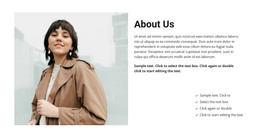
The centered “resume” label and “art director” heading make the block read as permanent profile content rather than a changing list of entries. Its main panel uses a clear image-to-text relationship: a black-and-white portrait anchors the left side, while the right side presents biographical information about photography, marketing, design experience, and Stirling. The signature graphic adds a personal visual marker without creating another profile or content category.
For a WordPress-managed page, this section can function as a stable About or professional-background area within a broader site. It presents one creative professional in a compact format, which makes it appropriate for a personal portfolio, studio presentation, or biography-focused page section when the surrounding project supplies the remaining content. The block does not depend on a repeated card structure; its meaning comes from the single portrait and the accompanying narrative.
The three social links below the panel give the profile a distinct outward-facing continuation. Because they are separated into their own centered row, they remain easy to identify without breaking the main portrait-and-biography hierarchy. The block can therefore remain a consistent visual section while other WordPress-managed content handles projects, services, articles, or contact information around it. Its monochrome treatment also provides a controlled visual anchor for neighboring page content.
Customize with Nicepage
Open this ready-made template in the WordPress Website Builder and customize it visually in the Nicepage editor. Replace demo content, edit page sections, and adapt the design to your project without rebuilding the template from scratch.
Edit Template Offline
2. Create a new page or select existing
3. Click Add new block, search for id 159298 and click enter
Edit Template Online
Create Awesome Websites


Free Nicepage Builder
Keywords
Manage and Edit This Theme in WordPress
Customize and Install the WordPress Theme
Start with this ready-made theme instead of building the WordPress design from scratch. Customize its layout, content, typography, images, sections, and other design elements visually in Nicepage editor, then export and install the WordPress Theme, Plugin, and Pages on your WordPress site. The Nicepage WordPress Plugin lets you continue working with the site after installation.
Edit the Theme Directly in WordPress
After installation, you can edit the WordPress Theme directly in WordPress with the Nicepage WordPress Plugin. Use Site Style to customize site Colors, Fonts, Header, Footer, Blog, and Post Page Templates while working within your WordPress website.
Edit WordPress Pages Visually
Use the Nicepage WordPress Plugin to edit page content directly from the WordPress admin area. Open a WordPress Page with Nicepage and visually change its text, images, sections, and other page elements while continuing to manage the Page through WordPress.
WordPress Content and Theme Integration
Use the customized theme with WordPress Pages, Posts, Blog and Post Templates, menus, widgets, and other CMS-managed content. Shared theme elements such as Colors, Fonts, Header, Footer, Blog, and Post Page Templates can be managed as part of the overall site design, while WordPress provides the CMS environment for managing site content.
This workflow combines a ready-made WordPress Theme with visual customization, direct theme editing in WordPress, and continued content management through the Nicepage WordPress Plugin.