Best it company WordPress Theme



Stable About Content for a WordPress-Managed Page
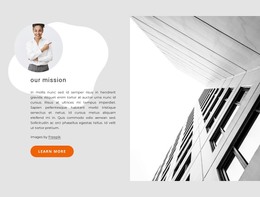
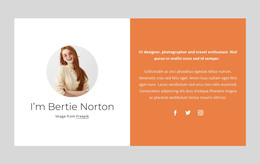
The “About Our Company” heading, company introduction, and two supporting paragraphs form durable page content rather than a time-sensitive update. The two support points add structured information about email and phone support and multilingual support, while the displayed phone link gives readers a direct way to continue the conversation. The circular portrait provides a human visual detail, and the large architectural photograph gives the section a recognizable visual boundary.
In a WordPress-oriented project, this block can sit as a stable About section on a page while the wider site manages other content independently. The section does not need to be treated as a complete theme or site to be useful. Its job is narrower and clearer: present company context, identify support coverage, and keep a contact detail visible within a consistent layout. The sample text, image, portrait, and phone number can be replaced with project content without changing the underlying section relationship.
The split design also supports reuse when related pages require a similar visual direction. A services page, contact area, or other managed content can use separate sections, while this block preserves the introduction role. WordPress provides the surrounding publishing environment, but the value of this particular block remains in its page-oriented content: a readable company explanation paired with support information, a human image, architectural context, and a direct phone route.
Customize with Nicepage
Open this ready-made template in the WordPress Website Builder and customize it visually in the Nicepage editor. Replace demo content, edit page sections, and adapt the design to your project without rebuilding the template from scratch.
Edit Template Offline
2. Create a new page or select existing
3. Click Add new block, search for id 1422877 and click enter
Edit Template Online
Create Awesome Websites


Free Nicepage Builder
Keywords
Manage and Edit This Theme in WordPress
Customize and Install the WordPress Theme
Start with this ready-made theme instead of building the WordPress design from scratch. Customize its layout, content, typography, images, sections, and other design elements visually in Nicepage editor, then export and install the WordPress Theme, Plugin, and Pages on your WordPress site. The Nicepage WordPress Plugin lets you continue working with the site after installation.
Edit the Theme Directly in WordPress
After installation, you can edit the WordPress Theme directly in WordPress with the Nicepage WordPress Plugin. Use Site Style to customize site Colors, Fonts, Header, Footer, Blog, and Post Page Templates while working within your WordPress website.
Edit WordPress Pages Visually
Use the Nicepage WordPress Plugin to edit page content directly from the WordPress admin area. Open a WordPress Page with Nicepage and visually change its text, images, sections, and other page elements while continuing to manage the Page through WordPress.
WordPress Content and Theme Integration
Use the customized theme with WordPress Pages, Posts, Blog and Post Templates, menus, widgets, and other CMS-managed content. Shared theme elements such as Colors, Fonts, Header, Footer, Blog, and Post Page Templates can be managed as part of the overall site design, while WordPress provides the CMS environment for managing site content.
This workflow combines a ready-made WordPress Theme with visual customization, direct theme editing in WordPress, and continued content management through the Nicepage WordPress Plugin.