Read testimonials WordPress Theme



One Portrait and Role Label Shape a Publishable Testimonial Section
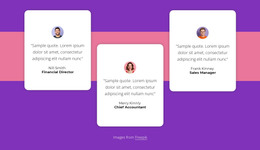
The portrait establishes a human visual entry point on the left, while the large quotation-mark accent creates a deliberate pause before the testimonial text. On the right, one quote is followed by the displayed name Nicky Cave and the role label Financial Director, so the statement and its attribution remain part of one readable content group. The horizontal arrangement gives the portrait and text separate visual zones without turning the section into a carousel, tab set, or multi-item review grid. Its white background and warm red-orange portrait treatment add contrast while the generous spacing keeps the long quotation from feeling crowded.
In a WordPress-oriented project, this block can serve as stable testimonial content within a managed page, particularly where one selected customer statement should support nearby service, project, or organizational information. The single-quote model gives the section a clear editorial role: it adds a human perspective without competing with the surrounding page's primary explanation or contact path. Because the name and role sit directly beneath the statement, the content remains easy to preserve as a reusable page section while other WordPress-managed areas change around it. The block contributes a focused testimonial region, not a complete WordPress theme or site structure.
Customize with Nicepage
Open this ready-made template in the WordPress Website Builder and customize it visually in the Nicepage editor. Replace demo content, edit page sections, and adapt the design to your project without rebuilding the template from scratch.
Edit Template Offline
2. Create a new page or select existing
3. Click Add new block, search for id 140661 and click enter
Edit Template Online
Create Awesome Websites


Free Nicepage Builder
Keywords
Manage and Edit This Theme in WordPress
Customize and Install the WordPress Theme
Start with this ready-made theme instead of building the WordPress design from scratch. Customize its layout, content, typography, images, sections, and other design elements visually in Nicepage editor, then export and install the WordPress Theme, Plugin, and Pages on your WordPress site. The Nicepage WordPress Plugin lets you continue working with the site after installation.
Edit the Theme Directly in WordPress
After installation, you can edit the WordPress Theme directly in WordPress with the Nicepage WordPress Plugin. Use Site Style to customize site Colors, Fonts, Header, Footer, Blog, and Post Page Templates while working within your WordPress website.
Edit WordPress Pages Visually
Use the Nicepage WordPress Plugin to edit page content directly from the WordPress admin area. Open a WordPress Page with Nicepage and visually change its text, images, sections, and other page elements while continuing to manage the Page through WordPress.
WordPress Content and Theme Integration
Use the customized theme with WordPress Pages, Posts, Blog and Post Templates, menus, widgets, and other CMS-managed content. Shared theme elements such as Colors, Fonts, Header, Footer, Blog, and Post Page Templates can be managed as part of the overall site design, while WordPress provides the CMS environment for managing site content.
This workflow combines a ready-made WordPress Theme with visual customization, direct theme editing in WordPress, and continued content management through the Nicepage WordPress Plugin.