Construction startup WordPress Theme


Stable About Content in a Split Page Section
“About Us” and “What We Do” give the block two complementary content roles that fit naturally within a WordPress-managed page. The first heading can introduce the organization, while the second can summarize its activities. Each text group includes a supporting paragraph and a read-more link, creating a consistent publishing pattern for concise page content that may lead visitors to fuller information elsewhere in the project. The arrangement keeps the two summaries related without combining them into one dense text column.
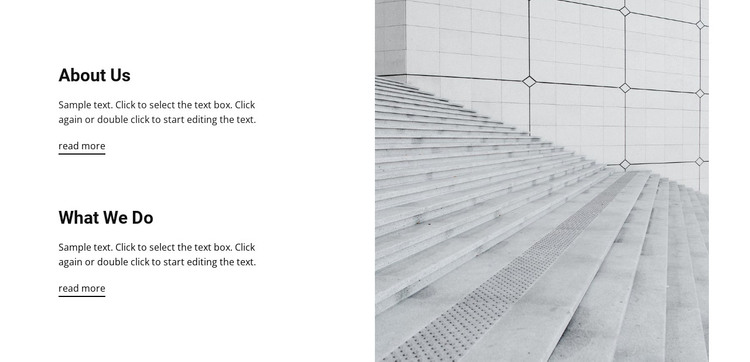
The split layout also gives the section a clear visual identity. Text remains concentrated on the left, with generous vertical spacing separating the two groups, while the full-height grayscale image occupies the right and shows a stairway against geometric wall details. Bold black headings and compact body text stay readable on the white background, and the understated underlines mark the two reading paths without competing with the image. In a WordPress-oriented site, this block can hold stable organizational content within a broader page while other CMS-managed areas handle additional information. Its repeated heading-to-copy-to-link rhythm is easy to recognize as page content, and the architectural image provides a consistent visual anchor for an about section that needs both concise explanation and a route toward deeper reading.
Customize with Nicepage
Open this ready-made template in the WordPress Website Builder and customize it visually in the Nicepage editor. Replace demo content, edit page sections, and adapt the design to your project without rebuilding the template from scratch.
Edit Template Offline
2. Create a new page or select existing
3. Click Add new block, search for id 139886 and click enter
Edit Template Online
Create Awesome Websites


Free Nicepage Builder
Keywords
Manage and Edit This Theme in WordPress
Customize and Install the WordPress Theme
Start with this ready-made theme instead of building the WordPress design from scratch. Customize its layout, content, typography, images, sections, and other design elements visually in Nicepage editor, then export and install the WordPress Theme, Plugin, and Pages on your WordPress site. The Nicepage WordPress Plugin lets you continue working with the site after installation.
Edit the Theme Directly in WordPress
After installation, you can edit the WordPress Theme directly in WordPress with the Nicepage WordPress Plugin. Use Site Style to customize site Colors, Fonts, Header, Footer, Blog, and Post Page Templates while working within your WordPress website.
Edit WordPress Pages Visually
Use the Nicepage WordPress Plugin to edit page content directly from the WordPress admin area. Open a WordPress Page with Nicepage and visually change its text, images, sections, and other page elements while continuing to manage the Page through WordPress.
WordPress Content and Theme Integration
Use the customized theme with WordPress Pages, Posts, Blog and Post Templates, menus, widgets, and other CMS-managed content. Shared theme elements such as Colors, Fonts, Header, Footer, Blog, and Post Page Templates can be managed as part of the overall site design, while WordPress provides the CMS environment for managing site content.
This workflow combines a ready-made WordPress Theme with visual customization, direct theme editing in WordPress, and continued content management through the Nicepage WordPress Plugin.