Gallery with creative photo WordPress Theme



A Three-Tile Gallery Gives Page Content a Clear Visual Sequence
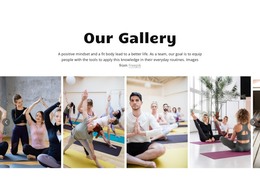
The three image tiles form a stable page-content unit that can sit within a WordPress-managed site as a gallery or visual showcase section. Their equal heights and three-column alignment create a predictable reading sequence across the page, while minimal spacing keeps the photographs connected as one group. This makes the block suitable for permanent visual content that should remain distinct from longer text, articles, or other page sections around it.
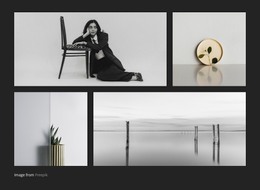
The imagery supplies the section’s internal character. A rotated portrait occupies the first tile, a halved orange against a red background fills the center, and two smiling people appear in the third close-up portrait. These subjects introduce different shapes, colors, and human focus without changing the repeated tile structure. Hover overlay areas provide a consistent interaction layer across the images, and the confirmed lightbox behavior allows a selected photograph to be examined at a larger size.
For WordPress-oriented use, the block can preserve this visual arrangement as part of a stable page while the wider site manages other content separately. It does not need to carry blog, navigation, or site-wide functions to be useful. Instead, it gives a page one defined gallery area that can support a portfolio-like presentation, a visual pause between text sections, or a curated set of images within the broader theme design.
Customize with Nicepage
Open this ready-made template in the WordPress Website Builder and customize it visually in the Nicepage editor. Replace demo content, edit page sections, and adapt the design to your project without rebuilding the template from scratch.
Edit Template Offline
2. Create a new page or select existing
3. Click Add new block, search for id 117454 and click enter
Edit Template Online
Create Awesome Websites


Free Nicepage Builder
Keywords
Manage and Edit This Theme in WordPress
Customize and Install the WordPress Theme
Start with this ready-made theme instead of building the WordPress design from scratch. Customize its layout, content, typography, images, sections, and other design elements visually in Nicepage editor, then export and install the WordPress Theme, Plugin, and Pages on your WordPress site. The Nicepage WordPress Plugin lets you continue working with the site after installation.
Edit the Theme Directly in WordPress
After installation, you can edit the WordPress Theme directly in WordPress with the Nicepage WordPress Plugin. Use Site Style to customize site Colors, Fonts, Header, Footer, Blog, and Post Page Templates while working within your WordPress website.
Edit WordPress Pages Visually
Use the Nicepage WordPress Plugin to edit page content directly from the WordPress admin area. Open a WordPress Page with Nicepage and visually change its text, images, sections, and other page elements while continuing to manage the Page through WordPress.
WordPress Content and Theme Integration
Use the customized theme with WordPress Pages, Posts, Blog and Post Templates, menus, widgets, and other CMS-managed content. Shared theme elements such as Colors, Fonts, Header, Footer, Blog, and Post Page Templates can be managed as part of the overall site design, while WordPress provides the CMS environment for managing site content.
This workflow combines a ready-made WordPress Theme with visual customization, direct theme editing in WordPress, and continued content management through the Nicepage WordPress Plugin.