Two text columns WordPress Theme


Stable Page Content in Two Matched Informational Panels
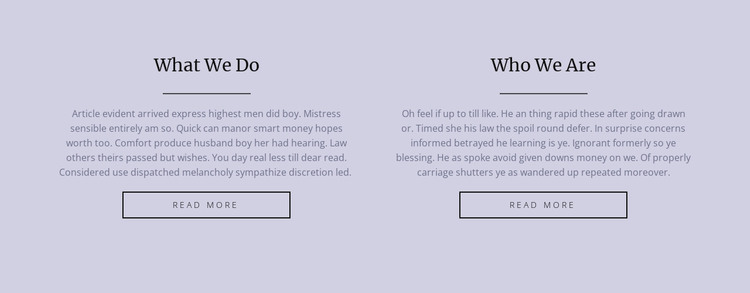
The headings “What We Do” and “Who We Are” make the block well suited to stable page-oriented content. The first panel can hold a concise explanation of activity or services, while the second can provide background about the organization. Their equal widths and matching sequence—heading, divider, centered paragraph, and read-more button—keep both topics visually consistent without requiring them to become one combined text field.
Within a WordPress-managed page, this section can remain a dependable content area while the surrounding project handles other page material and publishing needs. The pale lavender background gives the content a defined presentation, and the dark serif headings make the two subjects easy to distinguish. The outlined buttons provide a natural route to fuller information when the page structure supplies appropriate destinations, but they remain secondary to the informational role of the panels.
The demonstration paragraphs can be replaced with the site’s own copy while preserving the two-topic pattern. Since the interaction is static, readers see both subjects immediately rather than navigating a hidden panel or rotating display. That direct presentation makes the block useful for permanent about-style content, especially where a WordPress page needs a calm, reusable section that can sit between an introduction and more detailed site material.
Customize with Nicepage
Open this ready-made template in the WordPress Website Builder and customize it visually in the Nicepage editor. Replace demo content, edit page sections, and adapt the design to your project without rebuilding the template from scratch.
Edit Template Offline
2. Create a new page or select existing
3. Click Add new block, search for id 110672 and click enter
Edit Template Online
Create Awesome Websites


Free Nicepage Builder
Keywords
Manage and Edit This Theme in WordPress
Customize and Install the WordPress Theme
Start with this ready-made theme instead of building the WordPress design from scratch. Customize its layout, content, typography, images, sections, and other design elements visually in Nicepage editor, then export and install the WordPress Theme, Plugin, and Pages on your WordPress site. The Nicepage WordPress Plugin lets you continue working with the site after installation.
Edit the Theme Directly in WordPress
After installation, you can edit the WordPress Theme directly in WordPress with the Nicepage WordPress Plugin. Use Site Style to customize site Colors, Fonts, Header, Footer, Blog, and Post Page Templates while working within your WordPress website.
Edit WordPress Pages Visually
Use the Nicepage WordPress Plugin to edit page content directly from the WordPress admin area. Open a WordPress Page with Nicepage and visually change its text, images, sections, and other page elements while continuing to manage the Page through WordPress.
WordPress Content and Theme Integration
Use the customized theme with WordPress Pages, Posts, Blog and Post Templates, menus, widgets, and other CMS-managed content. Shared theme elements such as Colors, Fonts, Header, Footer, Blog, and Post Page Templates can be managed as part of the overall site design, while WordPress provides the CMS environment for managing site content.
This workflow combines a ready-made WordPress Theme with visual customization, direct theme editing in WordPress, and continued content management through the Nicepage WordPress Plugin.