Productivity tool of the future WordPress Theme


Permanent Concept Content With a Human Visual Anchor
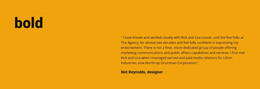
The heading and supporting paragraph read as stable explanatory content rather than a time-sensitive list of updates. That makes the block a natural candidate for a WordPress-managed page section describing a productivity tool or its underlying concept. The left column carries the primary statement and circular portrait inside a red rectangular border, giving the content a fixed visual identity. The right column provides room for the accompanying explanation beneath a pale gray decorative circle.
This arrangement separates the message into two related content roles. The framed column introduces the idea and gives it a human visual anchor, while the open column develops the explanation without competing with the heading. The generous whitespace and bottom-aligned right-side content help the section retain a calm reading rhythm even though the red border creates a strong point of emphasis. The image credit remains a secondary line beneath the copy.
In a WordPress-oriented website, this block can remain a reusable visual section within permanent page content while other managed areas provide deeper product information, blog material, forms, or contact details. Its content can be edited as part of the surrounding page, but the block itself remains one focused section. The structure is therefore useful when a site needs a consistent introductory statement that can sit alongside other CMS-managed content without carrying the entire theme or page architecture.
Customize with Nicepage
Open this ready-made template in the WordPress Website Builder and customize it visually in the Nicepage editor. Replace demo content, edit page sections, and adapt the design to your project without rebuilding the template from scratch.
Edit Template Offline
2. Create a new page or select existing
3. Click Add new block, search for id 1053706 and click enter
Edit Template Online
Create Awesome Websites


Free Nicepage Builder
Keywords
Manage and Edit This Theme in WordPress
Customize and Install the WordPress Theme
Start with this ready-made theme instead of building the WordPress design from scratch. Customize its layout, content, typography, images, sections, and other design elements visually in Nicepage editor, then export and install the WordPress Theme, Plugin, and Pages on your WordPress site. The Nicepage WordPress Plugin lets you continue working with the site after installation.
Edit the Theme Directly in WordPress
After installation, you can edit the WordPress Theme directly in WordPress with the Nicepage WordPress Plugin. Use Site Style to customize site Colors, Fonts, Header, Footer, Blog, and Post Page Templates while working within your WordPress website.
Edit WordPress Pages Visually
Use the Nicepage WordPress Plugin to edit page content directly from the WordPress admin area. Open a WordPress Page with Nicepage and visually change its text, images, sections, and other page elements while continuing to manage the Page through WordPress.
WordPress Content and Theme Integration
Use the customized theme with WordPress Pages, Posts, Blog and Post Templates, menus, widgets, and other CMS-managed content. Shared theme elements such as Colors, Fonts, Header, Footer, Blog, and Post Page Templates can be managed as part of the overall site design, while WordPress provides the CMS environment for managing site content.
This workflow combines a ready-made WordPress Theme with visual customization, direct theme editing in WordPress, and continued content management through the Nicepage WordPress Plugin.