New home ideas WordPress Theme


A Stable Editorial Section for WordPress Page Content
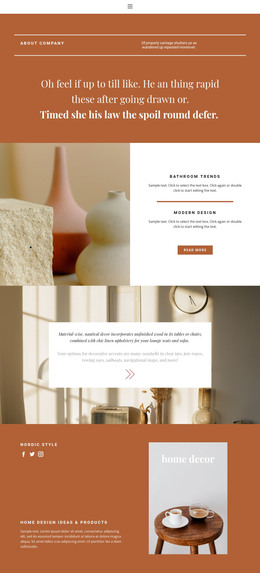
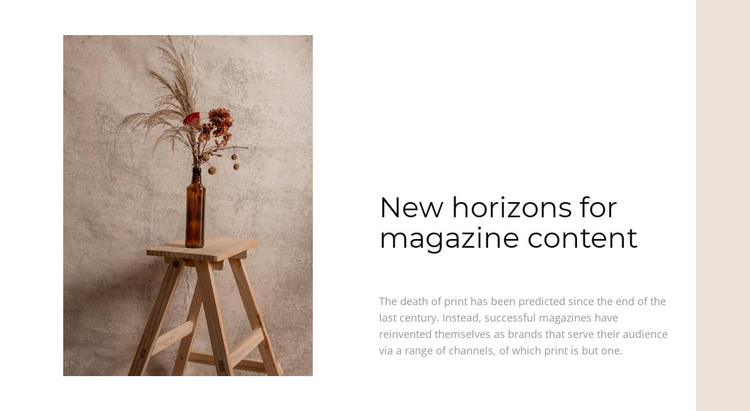
The left-side still life gives the section an immediate visual subject: a vase, dried plants, and a wooden stool arranged in warm tones. Opposite it, the heading “New horizons for magazine content” and its supporting paragraph explain a publishing idea involving print magazines, audience service, and several distribution channels. The image and text therefore perform different but connected jobs, with the photograph creating atmosphere and the copy supplying the editorial context.
For a WordPress-managed page, this arrangement can function as stable magazine or publishing content within a broader page. It reads as a permanent informational section rather than a time-sensitive listing, because the main structure is one heading, one explanatory paragraph, and one supporting image. That makes the block suitable for a page that needs to introduce an editorial direction before moving to articles, features, or other content areas maintained elsewhere in the project.
The visual treatment also supports consistent page content. A white field leaves room around the two columns, while the light-gray paragraph creates a quieter reading layer below the larger heading. The muted beige shape along the right edge adds a small recurring accent without overwhelming the message. In a WordPress-oriented project, the section can preserve this visual relationship as page content while the surrounding site supplies navigation, additional publishing material, and broader theme-level structure.
Customize with Nicepage
Open this ready-made template in the WordPress Website Builder and customize it visually in the Nicepage editor. Replace demo content, edit page sections, and adapt the design to your project without rebuilding the template from scratch.
Edit Template Offline
2. Create a new page or select existing
3. Click Add new block, search for id 1037049 and click enter
Edit Template Online
Create Awesome Websites


Free Nicepage Builder
Keywords
Manage and Edit This Theme in WordPress
Customize and Install the WordPress Theme
Start with this ready-made theme instead of building the WordPress design from scratch. Customize its layout, content, typography, images, sections, and other design elements visually in Nicepage editor, then export and install the WordPress Theme, Plugin, and Pages on your WordPress site. The Nicepage WordPress Plugin lets you continue working with the site after installation.
Edit the Theme Directly in WordPress
After installation, you can edit the WordPress Theme directly in WordPress with the Nicepage WordPress Plugin. Use Site Style to customize site Colors, Fonts, Header, Footer, Blog, and Post Page Templates while working within your WordPress website.
Edit WordPress Pages Visually
Use the Nicepage WordPress Plugin to edit page content directly from the WordPress admin area. Open a WordPress Page with Nicepage and visually change its text, images, sections, and other page elements while continuing to manage the Page through WordPress.
WordPress Content and Theme Integration
Use the customized theme with WordPress Pages, Posts, Blog and Post Templates, menus, widgets, and other CMS-managed content. Shared theme elements such as Colors, Fonts, Header, Footer, Blog, and Post Page Templates can be managed as part of the overall site design, while WordPress provides the CMS environment for managing site content.
This workflow combines a ready-made WordPress Theme with visual customization, direct theme editing in WordPress, and continued content management through the Nicepage WordPress Plugin.