Probability of Luck WordPress Theme


Stable Page Content With a Highlighted Value and Supporting Image
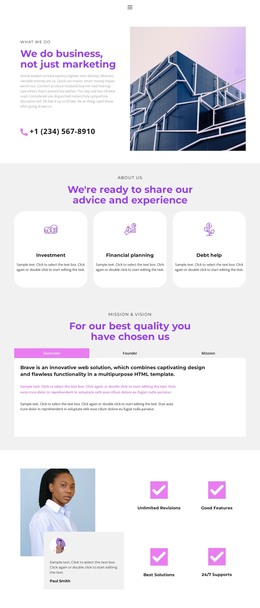
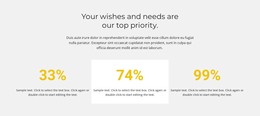
The left panel and middle text column give this section a page-oriented content role: one area emphasizes a displayed value, and the adjacent area provides explanatory copy. The right column adds a monochrome architectural photograph, keeping the visual treatment separate from the text rather than embedding the image inside a paragraph group. In a WordPress-managed project, this arrangement can remain a stable section of a page while the wider site handles other content areas around it.
The block is especially suited to permanent informational content that benefits from a clear visual focal point without requiring a complex interaction. The blue background distinguishes the percentage panel, the center paragraph preserves a quieter reading path, and the equal-width columns keep the three contributions balanced. Because the section has no heading, its meaning depends on the relationship among the displayed value, supporting text, and image; surrounding page content can provide the broader title or context when needed.
A WordPress-oriented workflow can therefore treat the section as reusable page content rather than as a complete theme or site structure. The paragraph and image can be maintained with the surrounding page material, while the block's visual arrangement remains consistent. The 85% is a displayed sample value and should not be presented as an independently confirmed result. Its role here is to demonstrate the section's emphasis pattern.
Customize with Nicepage
Open this ready-made template in the WordPress Website Builder and customize it visually in the Nicepage editor. Replace demo content, edit page sections, and adapt the design to your project without rebuilding the template from scratch.
Edit Template Offline
2. Create a new page or select existing
3. Click Add new block, search for id 1033397 and click enter
Edit Template Online
Create Awesome Websites


Free Nicepage Builder
Keywords
Use This Block in a WordPress-Managed Website
Keep the Block as Page Content
Use the block as one content/layout section inside a WordPress-oriented site rather than treating the Block ID as a complete WordPress Theme. Its verified text, images, repeated items, forms, galleries, or other elements can remain part of permanent page content while WordPress manages the wider site.
Work With Nicepage and WordPress
A Nicepage WordPress project can be installed using the WordPress Theme, Plugin, and Pages workflow. After installation, the same visual section can participate in WordPress-managed pages as part of the broader theme/site structure.
Continue Editing in WordPress
Nicepage supports editing the WordPress Theme directly in WordPress. Use WordPress Pages, Posts, Blog structures, and other CMS concepts only when they are relevant to the surrounding project; their existence must not be inferred from the analyzed block alone.
This workflow keeps the block's verified section function separate from the WordPress theme architecture while allowing it to participate in a CMS-managed website.