Travel landscape Template


A Portrait, a Cultural Site, and Two Captioned Visuals
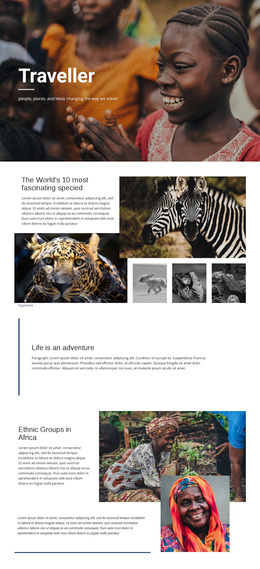
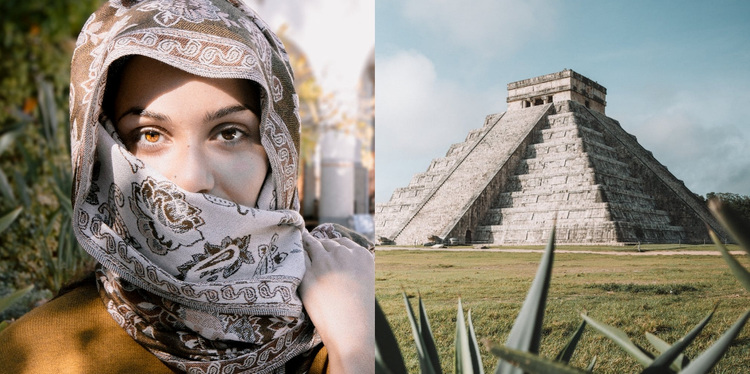
The portrait-and-landmark pairing gives this ready-made block a stronger point of distinction than a generic image row. Two equal-width panels fill the section side by side, allowing the personal image and the monumental cultural-site image to share the same visual weight. That contrast can suit a page that needs to present travel destinations through both human presence and place, without expanding the block into a larger catalog or multi-card layout.
Shaded caption overlays make the photographs carry information as well as atmosphere. Each paragraph remains positioned over its related image, so visitors can connect the text with the visual subject immediately. The available content references cherished landscapes, wildlife, natural resources, and cultural identity, giving the two panels a reflective destination-storytelling direction. These captions are part of the block's structure, while the images provide the primary visual entry point.
The lightbox behavior adds a useful viewing layer for a gallery design: visitors can open either image for a closer look instead of relying only on the cropped panels in the section. That combination of equal sizing, image contrast, attached captions, and closer viewing makes this block a practical choice when a project needs a concise travel or cultural gallery with more narrative presence than an undecorated image grid. Other sections can supply headings, navigation, and extended destination information around it.
Customize with Nicepage
Open this ready-made template in the Template Builder and customize it visually in the Nicepage editor. Replace demo content, edit page sections, and adapt the design to your project without rebuilding the template from scratch.
Edit Template Offline
2. Create a new page or select existing
3. Click Add new block, search for id 79268 and click enter
Edit Template Online
Create Awesome Websites


Free Nicepage Builder
Keywords
Start With a Ready-Made Template
Choose a Design for a New Page
Use a ready-made template as a starting point instead of creating every page from a blank canvas. When adding a new page in Nicepage, browse available designs, compare different layouts, and choose an option that already fits the general purpose and visual direction of your project.
Browse Different Page Designs
Explore Page Designs using search, thematic categories, Design Sets, and full-page previews. The collection includes layouts for different subjects and page purposes, making it easier to compare alternatives before selecting a design to customize.
Customize the Selected Template
After choosing a design, create the page and continue editing it visually in Nicepage. Replace the demo content, adjust images, typography, colors, sections, and other elements, and adapt the ready-made layout to your own content instead of rebuilding the design from the beginning.
Explore More Design Directions
If the first option does not match your project closely enough, return to the design collection and compare other templates before committing to a layout. This makes the template library useful not only for faster page creation, but also for exploring different visual approaches and finding a suitable starting point for a new project.
This workflow gives you access to a broad collection of ready-made designs that can be selected, compared, and customized according to the needs of each new page or project.