Support That Heals Template



Edit Template Offline
2. Create new page and search for id 6612659
Edit Template Online
Create Awesome Websites


Free Nicepage Builder
Keywords
Six Services and a Four-Step Path Give This Design Its Character
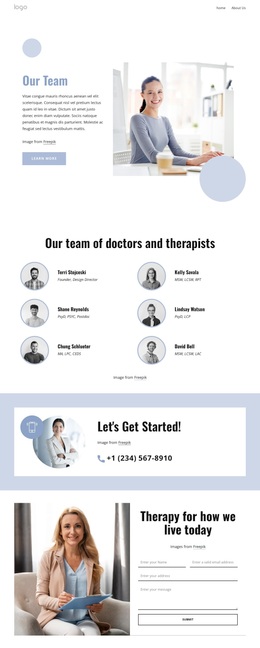
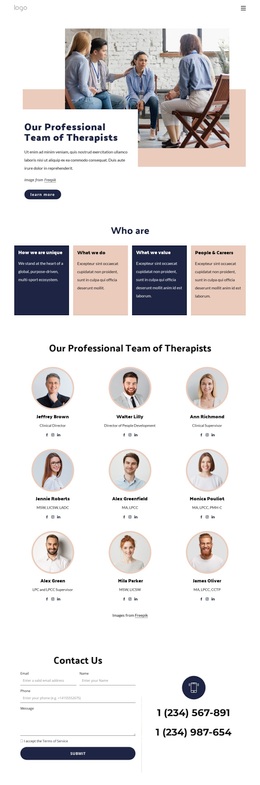
The strongest reason to choose Support That Heals is the way it combines broad service coverage with a clearly guided care story. Six compact categories cover individual anxiety therapy, cognitive behavioral therapy, couples and relationship counselling, stress and burnout management, adolescent and young adult therapy, and workplace mental health support. This makes the design more informative than a clinic page built around a single undifferentiated offer. The four professional profile cards add a people-centered layer that balances the service overview.
The page also explains progression through the four-step path of initial consultation, personalized plan, regular sessions, and progress and support. That sequence gives visitors a way to understand the relationship between choosing a service and beginning care, while the “Online Therapy Sessions” section adds a specific access option. The six benefit labels further distinguish the design by bringing together therapist experience, online convenience, clear pricing, evidence-based methods, confidentiality, and in-person or online availability.
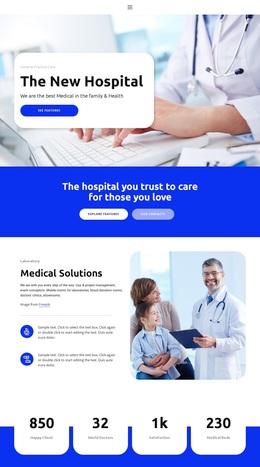
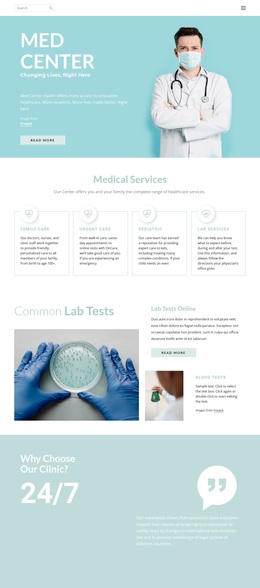
Visually, calm blue fields, warm orange labels, rounded cards, pill controls, and lifestyle photography support a healthcare presentation that feels approachable without relying on dense text. The appointment hero and newsletter band add practical response points, while opening hours and address information keep the page grounded in contact details. As a template choice, its main strength is this combination of service breadth, guided explanation, professional profiles, and accessible visual tone—not an unsupported claim about the demo clinic’s real credentials or details.
Customize with Nicepage
Open this ready-made template in the Template Builder and customize it visually in the Nicepage editor. Replace demo content, edit page sections, and adapt the design to your project without rebuilding the template from scratch.
Start With a Ready-Made Template
Choose a Design for a New Page
Use a ready-made template as a starting point instead of creating every page from a blank canvas. When adding a new page in Nicepage, browse available designs, compare different layouts, and choose an option that already fits the general purpose and visual direction of your project.
Browse Different Page Designs
Explore Page Designs using search, thematic categories, Design Sets, and full-page previews. The collection includes layouts for different subjects and page purposes, making it easier to compare alternatives before selecting a design to customize.
Customize the Selected Template
After choosing a design, create the page and continue editing it visually in Nicepage. Replace the demo content, adjust images, typography, colors, sections, and other elements, and adapt the ready-made layout to your own content instead of rebuilding the design from the beginning.
Explore More Design Directions
If the first option does not match your project closely enough, return to the design collection and compare other templates before committing to a layout. This makes the template library useful not only for faster page creation, but also for exploring different visual approaches and finding a suitable starting point for a new project.
This workflow gives you access to a broad collection of ready-made designs that can be selected, compared, and customized according to the needs of each new page or project.