Invest smart journal Template



A Two-by-Two Article Pattern Gives Finance Content Visual Focus
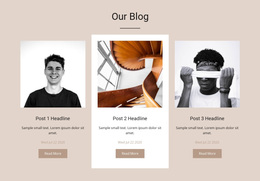
The design combines four article previews with a stronger visual rhythm than a plain list: each post begins with a portrait-oriented business or finance photograph, followed by a centered title and publication date. The two-column, two-row structure keeps the collection compact while giving every item comparable space. This makes the block a useful choice when a page needs to present several financial reading options without letting one article dominate the entire section.
Its subject range also contributes to the design’s usefulness. Financial life management, trusted advisors, retirement investing, and investment strategies create a coherent set of themes under the “Latest Posts” heading, while still giving visitors clear reasons to distinguish one card from another. The pale lavender background adds a soft field around the content, and white cards create individual visual anchors for the repeated items. Dark bold typography and generous spacing complete the presentation without relying on excessive decoration. Among alternative article sections, this option is particularly suited to a project that wants editorial content to feel organized, image-led, and connected to a broader personal-finance or investing discussion. The result offers both topical coverage and a recognizable visual pattern that can be compared directly with simpler article layouts.
Customize with Nicepage
Open this ready-made template in the Template Builder and customize it visually in the Nicepage editor. Replace demo content, edit page sections, and adapt the design to your project without rebuilding the template from scratch.
Edit Template Offline
2. Create a new page or select existing
3. Click Add new block, search for id 6546573 and click enter
Edit Template Online
Create Awesome Websites


Free Nicepage Builder
Keywords
Start With a Ready-Made Block Design
Choose a Section Instead of Building From Scratch
Use a ready-made block as a starting point when a page needs a particular content function or visual arrangement. Nicepage Block Designs provide section-level options for introductions, services, galleries, testimonials, contact forms, pricing, text layouts, and other common page needs.
Compare Different Layout Directions
Blocks with the same function can still differ in image emphasis, number of items, column structure, typography, spacing, card treatment, interaction, and overall visual weight. Compare those concrete characteristics before choosing the section that best matches the surrounding page.
Customize the Selected Block
After adding a block, replace demo content, adjust images and text, refine colors and typography, and adapt individual elements while preserving the section's useful structure. If another design fits the content better, return to the Block Designs collection and compare alternatives rather than forcing one section to solve a different function.
This workflow makes a Block ID a ready-made section choice: one reusable design option that can be selected and customized as part of a larger page.