Powerful Serves Template


An Asymmetric Mosaic Gives Activity Metrics More Visual Range
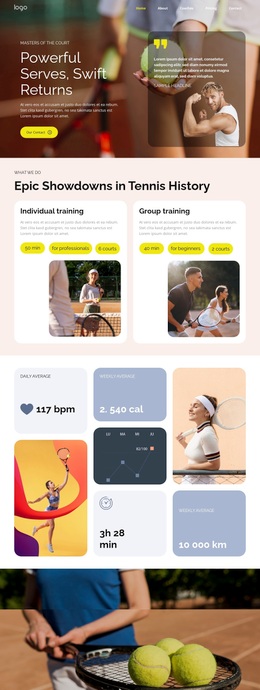
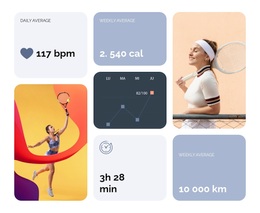
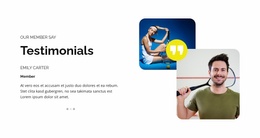
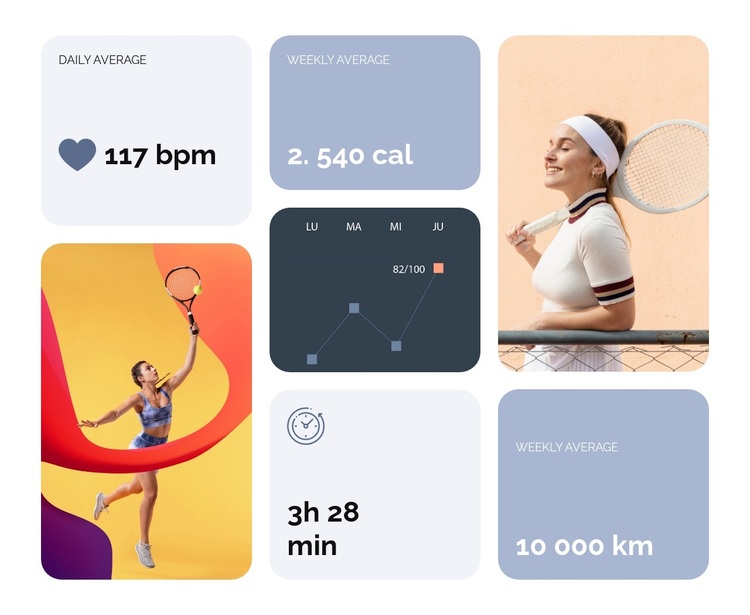
The block combines four compact activity cards with two racket-sport photographs and a dark chart panel, creating a section that communicates more than a simple row of counters. Daily average, weekly average, duration, and weekly distance provide the core information, while the images give the metrics a recognizable sports setting. The chart’s weekday labels and plotted line introduce a visual record of activity without requiring the block to become a full dashboard experience.
Its three-column asymmetric mosaic is the main reason to choose this design among other metrics sections. Stacked cards create a dense numerical group in selected areas, while larger image panels interrupt the repetition and give the composition stronger visual rhythm. The dark chart card provides a contrasting anchor against the soft lavender and blue metric surfaces. Rounded corners and generous spacing keep those different panel types related, and the heart and clock-style icons add small cues to the meaning of two values.
This option suits a page that needs fitness or sports measurements to feel like a designed content section rather than an isolated data strip. It can introduce activity information with a clear mixture of numbers, imagery, and chart language while leaving neighboring blocks to handle explanations, programs, testimonials, or contact content.
Customize with Nicepage
Open this ready-made template in the Template Builder and customize it visually in the Nicepage editor. Replace demo content, edit page sections, and adapt the design to your project without rebuilding the template from scratch.
Edit Template Offline
2. Create a new page or select existing
3. Click Add new block, search for id 6428781 and click enter
Edit Template Online
Create Awesome Websites


Free Nicepage Builder
Keywords
Start With a Ready-Made Template
Choose a Design for a New Page
Use a ready-made template as a starting point instead of creating every page from a blank canvas. When adding a new page in Nicepage, browse available designs, compare different layouts, and choose an option that already fits the general purpose and visual direction of your project.
Browse Different Page Designs
Explore Page Designs using search, thematic categories, Design Sets, and full-page previews. The collection includes layouts for different subjects and page purposes, making it easier to compare alternatives before selecting a design to customize.
Customize the Selected Template
After choosing a design, create the page and continue editing it visually in Nicepage. Replace the demo content, adjust images, typography, colors, sections, and other elements, and adapt the ready-made layout to your own content instead of rebuilding the design from the beginning.
Explore More Design Directions
If the first option does not match your project closely enough, return to the design collection and compare other templates before committing to a layout. This makes the template library useful not only for faster page creation, but also for exploring different visual approaches and finding a suitable starting point for a new project.
This workflow gives you access to a broad collection of ready-made designs that can be selected, compared, and customized according to the needs of each new page or project.