Street Car Template


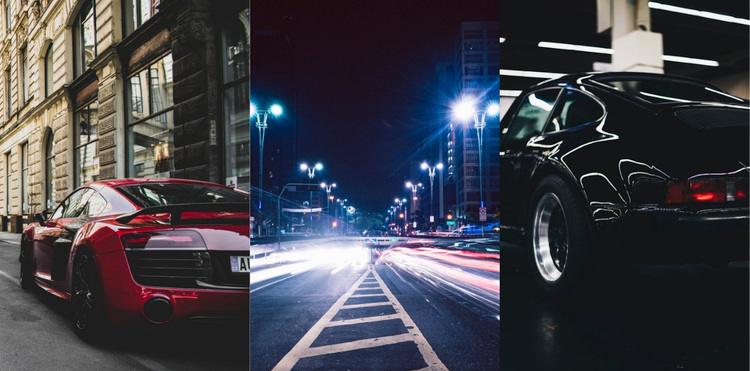
A Three-Image Sequence Creates a Strong Automotive Statement
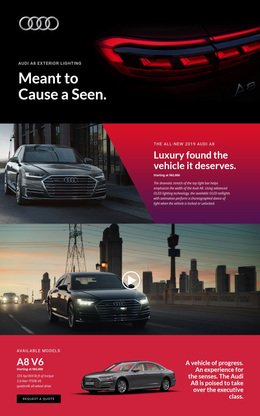
The choice value of this block comes from its compact sequence: a red sports car begins the composition, a night city road occupies the middle, and a black sports car ends it. These subjects cover both the vehicles and the urban setting around them without expanding into a larger card grid or adding explanatory copy. The equal-width vertical panels keep the concept immediately legible as a gallery, while the edge-to-edge joins give it a continuous strip-like presence.
This design works well when a page needs transportation imagery that feels focused and visually assertive. The red vehicle provides a clear point of entry, the road introduces movement and city context, and the black vehicle closes the sequence with a darker counterweight. Red, blue, and black tones maintain a high-contrast photographic direction across the row. Since the block is static and contains no visible controls, visitors read it as a composed visual statement rather than an interactive showcase.
Among alternative gallery designs, this option favors large vertical images and a tightly controlled three-part rhythm. It can suit an automotive, street, or urban transportation context where the section should add atmosphere without requiring captions or multiple content fields. The broader page can supply explanation, navigation, and actions while this block delivers the visual emphasis.
Customize with Nicepage
Open this ready-made template in the Template Builder and customize it visually in the Nicepage editor. Replace demo content, edit page sections, and adapt the design to your project without rebuilding the template from scratch.
Edit Template Offline
2. Create a new page or select existing
3. Click Add new block, search for id 52426 and click enter
Edit Template Online
Create Awesome Websites


Free Nicepage Builder
Keywords
Start With a Ready-Made Template
Choose a Design for a New Page
Use a ready-made template as a starting point instead of creating every page from a blank canvas. When adding a new page in Nicepage, browse available designs, compare different layouts, and choose an option that already fits the general purpose and visual direction of your project.
Browse Different Page Designs
Explore Page Designs using search, thematic categories, Design Sets, and full-page previews. The collection includes layouts for different subjects and page purposes, making it easier to compare alternatives before selecting a design to customize.
Customize the Selected Template
After choosing a design, create the page and continue editing it visually in Nicepage. Replace the demo content, adjust images, typography, colors, sections, and other elements, and adapt the ready-made layout to your own content instead of rebuilding the design from the beginning.
Explore More Design Directions
If the first option does not match your project closely enough, return to the design collection and compare other templates before committing to a layout. This makes the template library useful not only for faster page creation, but also for exploring different visual approaches and finding a suitable starting point for a new project.
This workflow gives you access to a broad collection of ready-made designs that can be selected, compared, and customized according to the needs of each new page or project.