Fastest taxi cars Template


Edit Template Offline
2. Create new page and search for id 19018
Edit Template Online
Create Awesome Websites


Free Nicepage Builder
Keywords
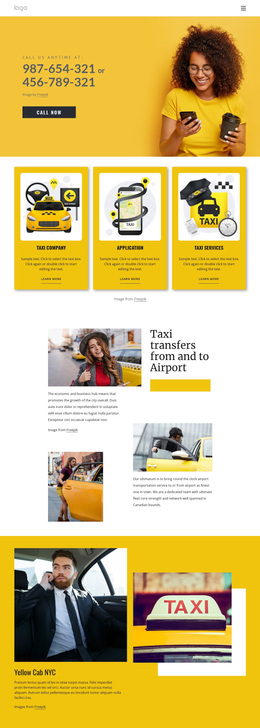
Taxi Choices, App Booking, and a Strong Phone-Led Visual Direction
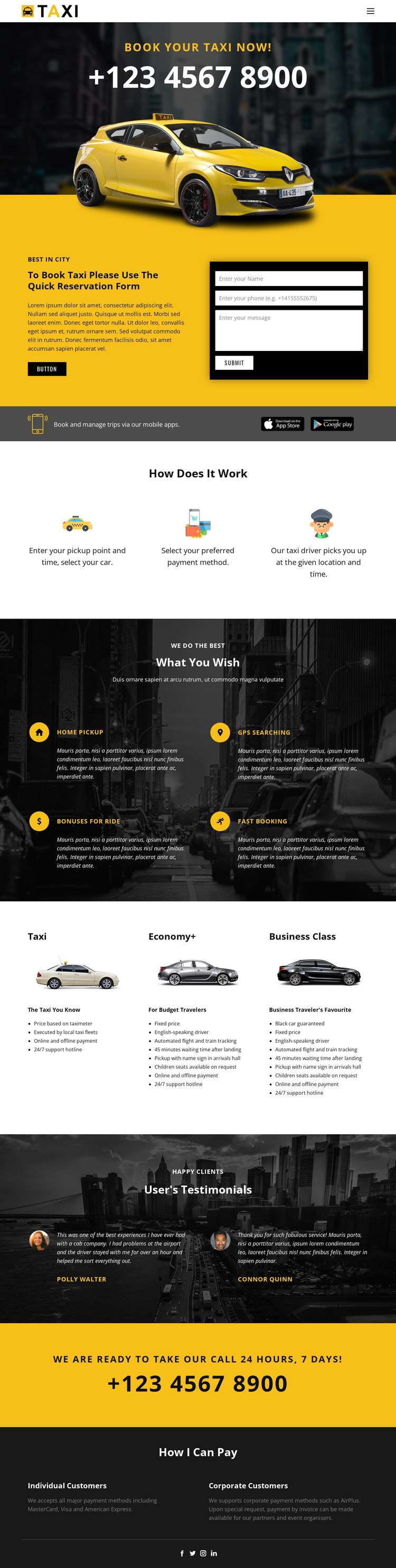
The opening combines a taxi-and-city image with a direct booking message and phone contact, making transportation the first idea visitors encounter. That focus continues through the dark app-promotion strips, which frame mobile booking and trip management as part of the same service rather than as an unrelated technical feature. The reservation form then gives the design a practical response area, while keeping the visual emphasis on a compact, high-contrast service presentation.
Its content coverage is another reason to consider the design. The three-step booking explanation clarifies the relationship between pickup details, payment selection, and driver pickup. Four feature items broaden the offer through home pickup, GPS searching, ride bonuses, and fast booking. The three comparable cards add a useful choice structure: Taxi, Economy+, and Business Class can be presented as differentiated ride categories instead of leaving the visitor with only a generic booking statement.
The lower sections complete the story with two testimonials, a repeated yellow phone callout, and payment information for individual and corporate customers. MasterCard, Visa, American Express, and AirPlus are named as payment methods, giving the footer a defined informational role. The design is therefore suited to projects that need a service page where a strong transportation identity, clear ride choices, mobile booking, and direct reservations carry more weight than dense editorial content.
Customize with Nicepage
Open this ready-made template in the Template Builder and customize it visually in the Nicepage editor. Replace demo content, edit page sections, and adapt the design to your project without rebuilding the template from scratch.
Start With a Ready-Made Template
Choose a Design for a New Page
Use a ready-made template as a starting point instead of creating every page from a blank canvas. When adding a new page in Nicepage, browse available designs, compare different layouts, and choose an option that already fits the general purpose and visual direction of your project.
Browse Different Page Designs
Explore Page Designs using search, thematic categories, Design Sets, and full-page previews. The collection includes layouts for different subjects and page purposes, making it easier to compare alternatives before selecting a design to customize.
Customize the Selected Template
After choosing a design, create the page and continue editing it visually in Nicepage. Replace the demo content, adjust images, typography, colors, sections, and other elements, and adapt the ready-made layout to your own content instead of rebuilding the design from the beginning.
Explore More Design Directions
If the first option does not match your project closely enough, return to the design collection and compare other templates before committing to a layout. This makes the template library useful not only for faster page creation, but also for exploring different visual approaches and finding a suitable starting point for a new project.
This workflow gives you access to a broad collection of ready-made designs that can be selected, compared, and customized according to the needs of each new page or project.