Consulting Project Template


Centered Context Meets a Compact Four-Metric Choice
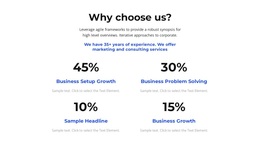
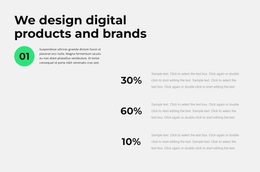
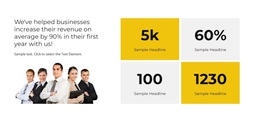
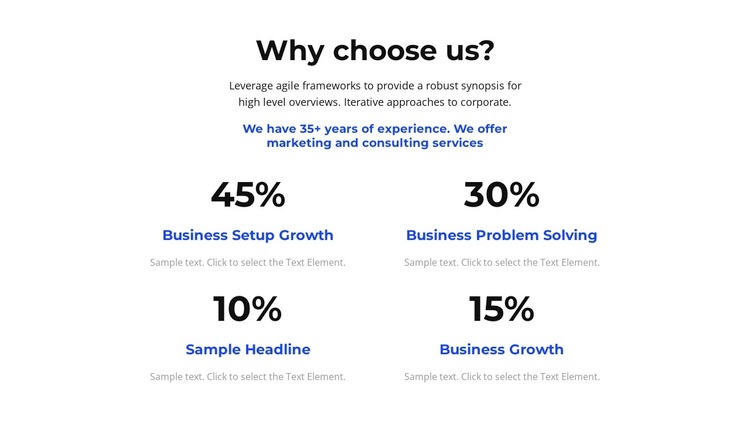
The block’s strongest design choice is the way it combines an explanatory opening with a tightly organized counter group. The centered “Why choose us?” heading and supporting text establish a business-oriented question before the four percentage items appear. Rather than spreading the metrics across a long horizontal strip, the two-column, two-row arrangement keeps them close enough to compare while giving each item room for its label and description.
Large percentages provide the first visual point of attention, followed by blue labels such as Business Setup Growth, Business Problem Solving, and Business Growth. The repeated item structure makes the section recognizable at a glance, while the remaining counter completes the four-part presentation. White space between the introductory content and the grid prevents the numbers from overwhelming the explanation. Black typography and blue accents add a restrained contrast without requiring decorative components or complex interaction.
This design is a useful choice when a page needs a business statistics section that feels more considered than a plain row of figures. It can explain several performance areas in a limited content area and can sit between broader introductory, service, or contact sections. The displayed percentages and sample descriptions are presentation content, so they should be replaced with accurate project material. What makes the block distinctive is the combined progression from question, to context, to repeated metric evidence.
Customize with Nicepage
Open this ready-made template in the Template Builder and customize it visually in the Nicepage editor. Replace demo content, edit page sections, and adapt the design to your project without rebuilding the template from scratch.
Edit Template Offline
2. Create a new page or select existing
3. Click Add new block, search for id 4974910 and click enter
Edit Template Online
Create Awesome Websites


Free Nicepage Builder
Keywords
Start With a Ready-Made Template
Choose a Design for a New Page
Use a ready-made template as a starting point instead of creating every page from a blank canvas. When adding a new page in Nicepage, browse available designs, compare different layouts, and choose an option that already fits the general purpose and visual direction of your project.
Browse Different Page Designs
Explore Page Designs using search, thematic categories, Design Sets, and full-page previews. The collection includes layouts for different subjects and page purposes, making it easier to compare alternatives before selecting a design to customize.
Customize the Selected Template
After choosing a design, create the page and continue editing it visually in Nicepage. Replace the demo content, adjust images, typography, colors, sections, and other elements, and adapt the ready-made layout to your own content instead of rebuilding the design from the beginning.
Explore More Design Directions
If the first option does not match your project closely enough, return to the design collection and compare other templates before committing to a layout. This makes the template library useful not only for faster page creation, but also for exploring different visual approaches and finding a suitable starting point for a new project.
This workflow gives you access to a broad collection of ready-made designs that can be selected, compared, and customized according to the needs of each new page or project.