I am a digital designer Template


Edit Template Offline
2. Create new page and search for id 3846478
Edit Template Online
Create Awesome Websites


Free Nicepage Builder
Keywords
A Portrait-Led Portfolio with Career Proof and Project Range
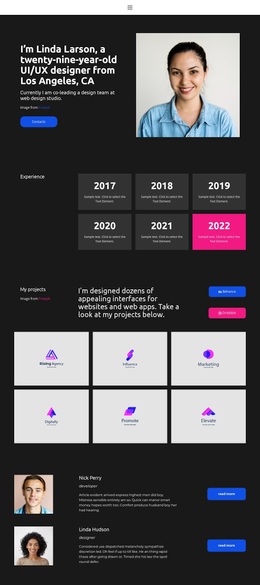
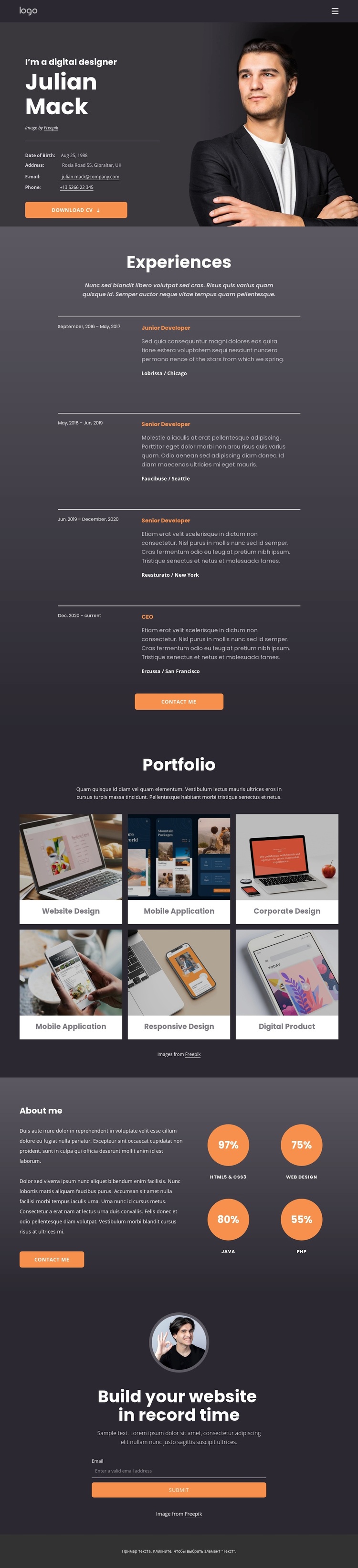
The portrait-led introduction immediately identifies the design as a personal presentation rather than a generic service layout. Contact details and the Download CV action sit beside the image, giving the page a practical profile function while leaving room for the rest of the story to develop. The dark charcoal and purple palette, bright orange buttons, and compact typography reinforce a focused, resume-like character.
The four-entry Experiences section adds chronological proof, with repeated role, date, description, company, and location information. That career structure is followed by six portfolio cards, whose categories cover website design, mobile applications, corporate design, responsive design, and digital products. The combination is useful for projects that need to show both professional progression and varied output. It is more specific than a layout centered only on a gallery or only on a written biography.
The About me section extends the choice with four circular skill indicators and another contact action, while the final email form gives visitors a direct way to respond. This balance of identity, evidence, capability, and contact makes the design a distinctive option for a personal portfolio or resume page. The repeated orange accents help visitors recognize actions, while the image-led cards provide visual variety within the dense informational structure.
Customize with Nicepage
Open this ready-made template in the Template Builder and customize it visually in the Nicepage editor. Replace demo content, edit page sections, and adapt the design to your project without rebuilding the template from scratch.
Start With a Ready-Made Template
Choose a Design for a New Page
Use a ready-made template as a starting point instead of creating every page from a blank canvas. When adding a new page in Nicepage, browse available designs, compare different layouts, and choose an option that already fits the general purpose and visual direction of your project.
Browse Different Page Designs
Explore Page Designs using search, thematic categories, Design Sets, and full-page previews. The collection includes layouts for different subjects and page purposes, making it easier to compare alternatives before selecting a design to customize.
Customize the Selected Template
After choosing a design, create the page and continue editing it visually in Nicepage. Replace the demo content, adjust images, typography, colors, sections, and other elements, and adapt the ready-made layout to your own content instead of rebuilding the design from the beginning.
Explore More Design Directions
If the first option does not match your project closely enough, return to the design collection and compare other templates before committing to a layout. This makes the template library useful not only for faster page creation, but also for exploring different visual approaches and finding a suitable starting point for a new project.
This workflow gives you access to a broad collection of ready-made designs that can be selected, compared, and customized according to the needs of each new page or project.