Frequent problems Template


A Wide Accordion Layout for Practical Rental Clarification
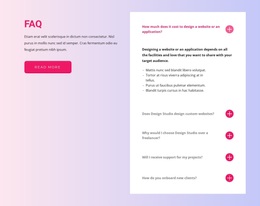
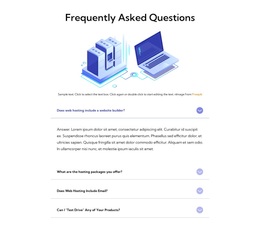
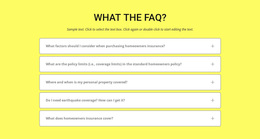
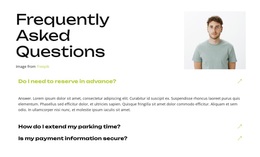
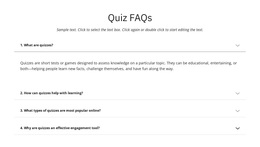
The design combines four targeted rental questions with a broad vertical accordion rather than presenting a dense list of unrelated copy. Questions about the daily rate, mileage plan, extra insurance, and fuel return give the section a specific information range, while the centered “faq” heading makes its purpose immediately recognizable. This combination is useful when a page needs practical clarification in a compact, visually controlled format.
Each question occupies a light-gray panel separated by thin dark rules, and the right-aligned chevrons reinforce the repeated interaction pattern. The first answer is expanded beneath its question, showing how the design handles explanatory text without forcing all four answers into view at once. The other rows remain collapsed, preserving a clean vertical rhythm and allowing the visitor to choose the topic that requires attention. The contrast between the oversized thin heading and the smaller question labels adds hierarchy without decorative complexity.
Among ready-made section alternatives, this block suits a project that needs a recognizable FAQ area with enough width for answer paragraphs and enough restraint to sit between other content types. It can clarify rental conditions after an offer or service description, while a separate area handles contact or booking. The value of the design lies in its focused subject grouping, strong scan pattern, and expandable content arrangement.
Customize with Nicepage
Open this ready-made template in the Template Builder and customize it visually in the Nicepage editor. Replace demo content, edit page sections, and adapt the design to your project without rebuilding the template from scratch.
Edit Template Offline
2. Create a new page or select existing
3. Click Add new block, search for id 288620 and click enter
Edit Template Online
Create Awesome Websites


Free Nicepage Builder
Keywords
Start With a Ready-Made Template
Choose a Design for a New Page
Use a ready-made template as a starting point instead of creating every page from a blank canvas. When adding a new page in Nicepage, browse available designs, compare different layouts, and choose an option that already fits the general purpose and visual direction of your project.
Browse Different Page Designs
Explore Page Designs using search, thematic categories, Design Sets, and full-page previews. The collection includes layouts for different subjects and page purposes, making it easier to compare alternatives before selecting a design to customize.
Customize the Selected Template
After choosing a design, create the page and continue editing it visually in Nicepage. Replace the demo content, adjust images, typography, colors, sections, and other elements, and adapt the ready-made layout to your own content instead of rebuilding the design from the beginning.
Explore More Design Directions
If the first option does not match your project closely enough, return to the design collection and compare other templates before committing to a layout. This makes the template library useful not only for faster page creation, but also for exploring different visual approaches and finding a suitable starting point for a new project.
This workflow gives you access to a broad collection of ready-made designs that can be selected, compared, and customized according to the needs of each new page or project.