Vehicle logistics operator Template


A Road Image Gives the Truck Offering a Stronger Entry Point
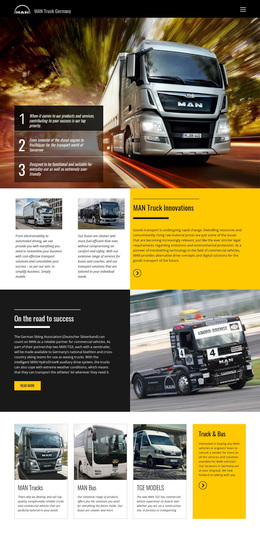
The choice of a full-width road photograph distinguishes this section from a basic text-led introduction. A commercial truck stretches across the background, with the vehicle positioned on the right and a dark blue panel placed on the left. That split lets the design present a business message and a recognizable transport image in the same visual field rather than separating them into unrelated content areas.
The heading “Feel at Home on The Road” provides a memorable organizing idea, while the supporting copy identifies on-highway, vocational, and medium-duty trucks. References to Ontario and Saskatchewan further define the dealership coverage contained in the section. These details give the block useful content range without requiring a large card grid or multiple repeated panels. The design can therefore suit a project that needs to introduce several truck categories while keeping the overall composition compact.
Among ready-made section alternatives, this option is most distinctive when a page needs a transportation message with strong photographic emphasis and a clear text-image contrast. The blue panel creates a dependable reading zone, and the warm-toned road scene adds movement and scale. Its value comes from combining category information, regional context, and a visible commercial vehicle in one static hero arrangement.
Customize with Nicepage
Open this ready-made template in the Template Builder and customize it visually in the Nicepage editor. Replace demo content, edit page sections, and adapt the design to your project without rebuilding the template from scratch.
Edit Template Offline
2. Create a new page or select existing
3. Click Add new block, search for id 48103 and click enter
Edit Template Online
Create Awesome Websites


Free Nicepage Builder
Keywords
Start With a Ready-Made Template
Choose a Design for a New Page
Use a ready-made template as a starting point instead of creating every page from a blank canvas. When adding a new page in Nicepage, browse available designs, compare different layouts, and choose an option that already fits the general purpose and visual direction of your project.
Browse Different Page Designs
Explore Page Designs using search, thematic categories, Design Sets, and full-page previews. The collection includes layouts for different subjects and page purposes, making it easier to compare alternatives before selecting a design to customize.
Customize the Selected Template
After choosing a design, create the page and continue editing it visually in Nicepage. Replace the demo content, adjust images, typography, colors, sections, and other elements, and adapt the ready-made layout to your own content instead of rebuilding the design from the beginning.
Explore More Design Directions
If the first option does not match your project closely enough, return to the design collection and compare other templates before committing to a layout. This makes the template library useful not only for faster page creation, but also for exploring different visual approaches and finding a suitable starting point for a new project.
This workflow gives you access to a broad collection of ready-made designs that can be selected, compared, and customized according to the needs of each new page or project.