Digital-only museum in tokyo Template


A layered image-and-quotation design gives museum storytelling visual weight
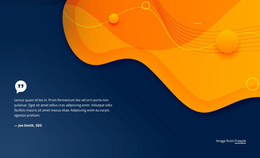
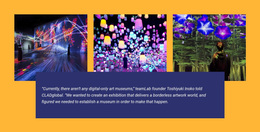
The three-image row makes this section distinct from a conventional text panel or evenly spaced card grid. Each colorful installation image contributes to a shared impression of immersive digital art, while the row keeps the visual evidence compact enough to introduce a larger idea. The wide quotation panel then crosses the lower part of the images, creating depth through overlap and making the transition from exhibition atmosphere to editorial reflection immediately visible.
The content choice also gives the design a clear reason to stand apart. Instead of using a generic promotional sentence, the panel presents a quotation about the absence of digital-only art museums and the ambition to create a borderless artwork world. The attribution to teamLab founder Toshiyuki Inoko and the CLADglobal reference add a recognizable source relationship without adding extra interface elements. White italic text centered on dark blue produces strong contrast against the warm orange field and the vivid imagery above.
As a ready-made section option, this block suits a page that needs cultural or technology-focused storytelling with a strong visual pause. It can introduce an exhibition concept, support an editorial narrative, or connect image-led content with a sourced perspective. The value lies in the coordinated sequence: three immersive views establish the subject, and the overlapping quotation explains its larger idea within one reusable block.
Customize with Nicepage
Open this ready-made template in the Template Builder and customize it visually in the Nicepage editor. Replace demo content, edit page sections, and adapt the design to your project without rebuilding the template from scratch.
Edit Template Offline
2. Create a new page or select existing
3. Click Add new block, search for id 44074 and click enter
Edit Template Online
Create Awesome Websites


Free Nicepage Builder
Keywords
Start With a Ready-Made Template
Choose a Design for a New Page
Use a ready-made template as a starting point instead of creating every page from a blank canvas. When adding a new page in Nicepage, browse available designs, compare different layouts, and choose an option that already fits the general purpose and visual direction of your project.
Browse Different Page Designs
Explore Page Designs using search, thematic categories, Design Sets, and full-page previews. The collection includes layouts for different subjects and page purposes, making it easier to compare alternatives before selecting a design to customize.
Customize the Selected Template
After choosing a design, create the page and continue editing it visually in Nicepage. Replace the demo content, adjust images, typography, colors, sections, and other elements, and adapt the ready-made layout to your own content instead of rebuilding the design from the beginning.
Explore More Design Directions
If the first option does not match your project closely enough, return to the design collection and compare other templates before committing to a layout. This makes the template library useful not only for faster page creation, but also for exploring different visual approaches and finding a suitable starting point for a new project.
This workflow gives you access to a broad collection of ready-made designs that can be selected, compared, and customized according to the needs of each new page or project.