What the critic says Template


A Single Portrait-and-Quote Card Gives the Section Its Character
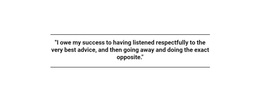
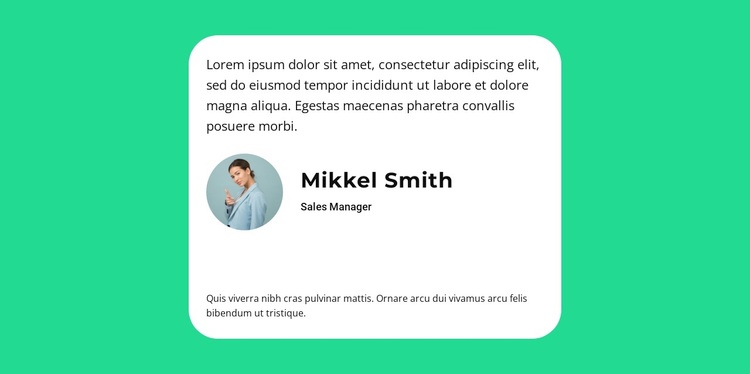
The design combines one focused testimonial with a visual identity row, making the section a distinctive alternative to a multi-card review grid. The primary quote leads the composition, then the circular portrait sits beside the displayed name Mikkel Smith and the Sales Manager label. A further testimonial paragraph closes the card, so the design offers more than a short review fragment while keeping the content within one controlled reading area.
The bright green field provides a strong visual frame for the centered white container. Pronounced rounded corners and generous padding make the card feel deliberately contained, while black sans-serif typography keeps the quote and attribution direct. This combination is useful when a page needs one prominent piece of customer proof rather than several competing voices. The static layout also avoids introducing controls or slide states that would divide attention between testimonials. As a ready-made Template block, its main selection value comes from the relationship between concentrated content and strong color contrast: it can give a testimonial section visible presence while preserving a simple internal structure. The surrounding page can supply the broader offer, navigation, and additional proof, leaving this block to perform one clearly defined testimonial role.
Customize with Nicepage
Open this ready-made template in the Template Builder and customize it visually in the Nicepage editor. Replace demo content, edit page sections, and adapt the design to your project without rebuilding the template from scratch.
Edit Template Offline
2. Create a new page or select existing
3. Click Add new block, search for id 2455884 and click enter
Edit Template Online
Create Awesome Websites


Free Nicepage Builder
Keywords
Start With a Ready-Made Template
Choose a Design for a New Page
Use a ready-made template as a starting point instead of creating every page from a blank canvas. When adding a new page in Nicepage, browse available designs, compare different layouts, and choose an option that already fits the general purpose and visual direction of your project.
Browse Different Page Designs
Explore Page Designs using search, thematic categories, Design Sets, and full-page previews. The collection includes layouts for different subjects and page purposes, making it easier to compare alternatives before selecting a design to customize.
Customize the Selected Template
After choosing a design, create the page and continue editing it visually in Nicepage. Replace the demo content, adjust images, typography, colors, sections, and other elements, and adapt the ready-made layout to your own content instead of rebuilding the design from the beginning.
Explore More Design Directions
If the first option does not match your project closely enough, return to the design collection and compare other templates before committing to a layout. This makes the template library useful not only for faster page creation, but also for exploring different visual approaches and finding a suitable starting point for a new project.
This workflow gives you access to a broad collection of ready-made designs that can be selected, compared, and customized according to the needs of each new page or project.