Wedding Photography Template


Edit Template Offline
2. Create new page and search for id 20522
Edit Template Online
Create Awesome Websites


Free Nicepage Builder
Keywords
Destination Imagery Meets Practical Wedding Resources
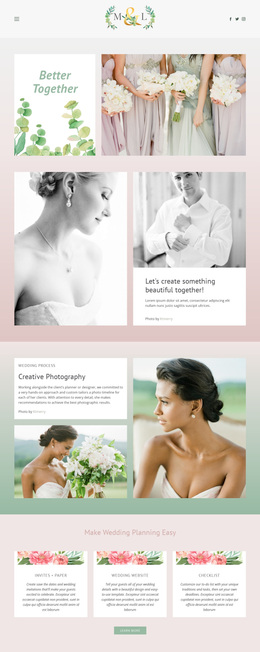
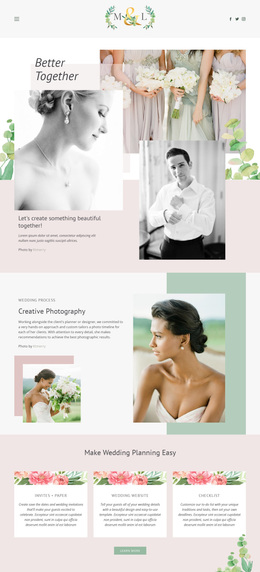
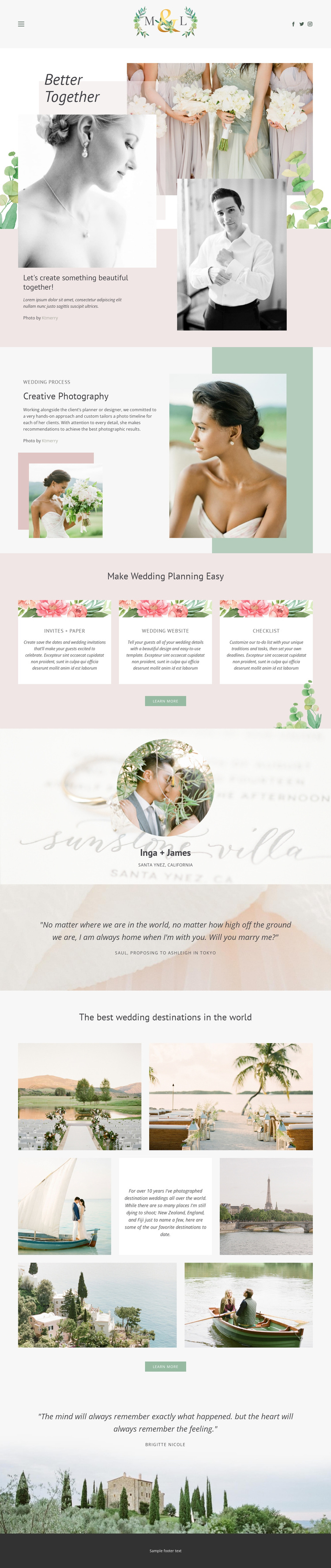
Large wedding photographs carry much of the page’s identity, beginning with the layered “Better Together” hero and continuing through portraits, a featured couple story, quotations, and the six-image destination gallery. That image-led direction makes the design a strong option for projects where visual storytelling should introduce the service before detailed explanation. The warm imagery is supported by blush, cream, sage, and muted green tones, with editorial serif headings adding a refined contrast to the clean sans-serif text.
The layout is also more varied than a photography showcase built only from galleries. “Creative Photography” explains the process, while the three planning cards cover Invites + Paper, Wedding Website, and Checklist. This combination gives visitors both an emotional view of wedding work and practical reasons to continue exploring the offering. The Inga + James feature and the proposal quotation add further narrative points without turning the page into a dense text-heavy presentation.
For couples seeking photography and planning support, the design provides a clear visual direction and broad content coverage in one page. It suits a brand that wants destination work, human stories, and planning guidance to appear within the same experience. The strongest reason to choose it is the balance between gallery-led atmosphere and useful resource content, rather than a purely technical or generic business layout.
Customize with Nicepage
Open this ready-made template in the Template Builder and customize it visually in the Nicepage editor. Replace demo content, edit page sections, and adapt the design to your project without rebuilding the template from scratch.
Start With a Ready-Made Template
Choose a Design for a New Page
Use a ready-made template as a starting point instead of creating every page from a blank canvas. When adding a new page in Nicepage, browse available designs, compare different layouts, and choose an option that already fits the general purpose and visual direction of your project.
Browse Different Page Designs
Explore Page Designs using search, thematic categories, Design Sets, and full-page previews. The collection includes layouts for different subjects and page purposes, making it easier to compare alternatives before selecting a design to customize.
Customize the Selected Template
After choosing a design, create the page and continue editing it visually in Nicepage. Replace the demo content, adjust images, typography, colors, sections, and other elements, and adapt the ready-made layout to your own content instead of rebuilding the design from the beginning.
Explore More Design Directions
If the first option does not match your project closely enough, return to the design collection and compare other templates before committing to a layout. This makes the template library useful not only for faster page creation, but also for exploring different visual approaches and finding a suitable starting point for a new project.
This workflow gives you access to a broad collection of ready-made designs that can be selected, compared, and customized according to the needs of each new page or project.