Scale your business Template



Edit Template Offline
2. Create new page and search for id 1723734
Edit Template Online
Create Awesome Websites


Free Nicepage Builder
Keywords
Capability Cards and Consultant Imagery Give the Design a Clear Point of View
The design makes consulting content visible through several connected layers rather than relying on a generic business introduction. Growth Strategy leads with a large monochrome business photograph, a dark text panel, and a red geometric accent, immediately establishing an editorial corporate direction. The numbered process sections then add an explanatory frame, showing that the page is intended to discuss how client-facing support is organized rather than only display a company slogan.
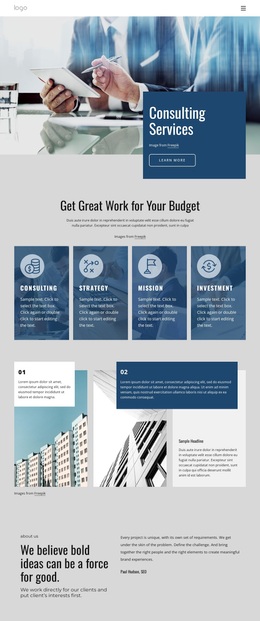
The four capability cards are a particularly useful reason to choose this option. Strategy, Results, Expertise, and Support create a concise framework for describing a consulting firm, while the separate Development, Design projects, Planning, and Consultations group expands the range of services that can be presented. The layered image collage and dark value-proposition panel reinforce the focus on consultants and market adaptation. Together, these sections offer more content coverage than a layout centered only on a hero and a contact button.
The four team profiles, social links, metrics area, and final form give the design additional ways to connect business explanation with a response opportunity. The sample numbers and profile names should be replaced with verified project content, but their structural roles are clear: they create space for proof, people, and contact. This makes the template a useful choice for a consulting or agency project that needs visual authority, organized service information, and a defined path to inquiry.
Customize with Nicepage
Open this ready-made template in the Template Builder and customize it visually in the Nicepage editor. Replace demo content, edit page sections, and adapt the design to your project without rebuilding the template from scratch.
Start With a Ready-Made Template
Choose a Design for a New Page
Use a ready-made template as a starting point instead of creating every page from a blank canvas. When adding a new page in Nicepage, browse available designs, compare different layouts, and choose an option that already fits the general purpose and visual direction of your project.
Browse Different Page Designs
Explore Page Designs using search, thematic categories, Design Sets, and full-page previews. The collection includes layouts for different subjects and page purposes, making it easier to compare alternatives before selecting a design to customize.
Customize the Selected Template
After choosing a design, create the page and continue editing it visually in Nicepage. Replace the demo content, adjust images, typography, colors, sections, and other elements, and adapt the ready-made layout to your own content instead of rebuilding the design from the beginning.
Explore More Design Directions
If the first option does not match your project closely enough, return to the design collection and compare other templates before committing to a layout. This makes the template library useful not only for faster page creation, but also for exploring different visual approaches and finding a suitable starting point for a new project.
This workflow gives you access to a broad collection of ready-made designs that can be selected, compared, and customized according to the needs of each new page or project.