Creative writing courses Template


Edit Template Offline
2. Create new page and search for id 183435
Edit Template Online
Create Awesome Websites


Free Nicepage Builder
Keywords
Course Categories, Student Context, and Nature Writing Give This Design Range
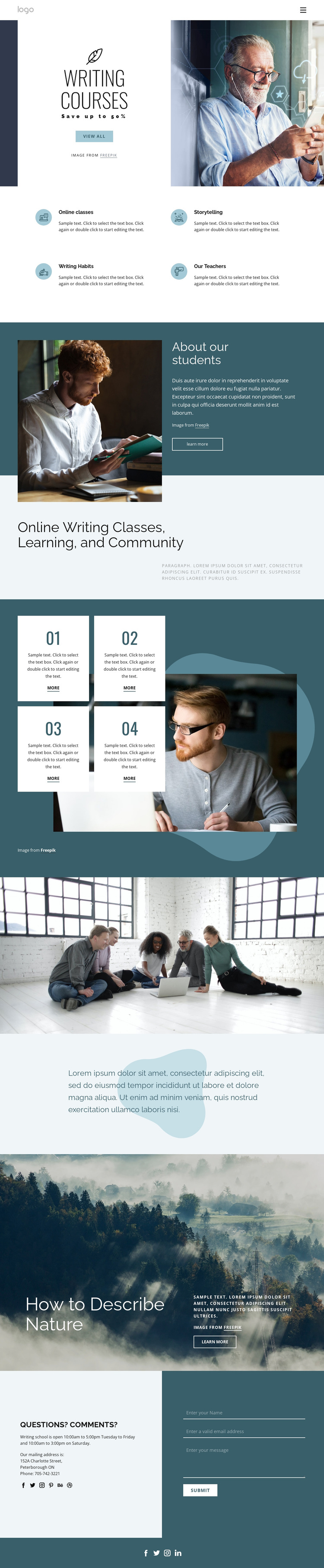
Large photographs of writers, students, nature, and collaborative learning make visual context a central reason to consider this design. The hero immediately connects a writing-course message with a portrait image, while the four feature categories provide concise coverage of online classes, storytelling, writing habits, and teachers. This balance suits a project that needs to explain an educational offer without relying on dense blocks of text.
The page also covers several stages of the learning story. “About our students” introduces the people and experience behind the course, and the following community statement broadens the subject beyond individual instruction. Four numbered cards add a repeated resource pattern that can represent learning steps or related materials. The “How to Describe Nature” section then gives the design a concrete creative-writing topic, using a full-width photograph to make the subject visually memorable.
The closing contact area adds practical completeness: it contains school hours, a mailing address, a phone number, social links, and a form for questions or comments. Together, these features make the template a useful choice for writing schools, creative-learning programs, or communities that need course discovery, educational context, topic examples, and direct inquiry in one coherent presentation. Its distinction comes from the relationship between editorial imagery and clearly grouped learning content.
Customize with Nicepage
Open this ready-made template in the Template Builder and customize it visually in the Nicepage editor. Replace demo content, edit page sections, and adapt the design to your project without rebuilding the template from scratch.
Start With a Ready-Made Template
Choose a Design for a New Page
Use a ready-made template as a starting point instead of creating every page from a blank canvas. When adding a new page in Nicepage, browse available designs, compare different layouts, and choose an option that already fits the general purpose and visual direction of your project.
Browse Different Page Designs
Explore Page Designs using search, thematic categories, Design Sets, and full-page previews. The collection includes layouts for different subjects and page purposes, making it easier to compare alternatives before selecting a design to customize.
Customize the Selected Template
After choosing a design, create the page and continue editing it visually in Nicepage. Replace the demo content, adjust images, typography, colors, sections, and other elements, and adapt the ready-made layout to your own content instead of rebuilding the design from the beginning.
Explore More Design Directions
If the first option does not match your project closely enough, return to the design collection and compare other templates before committing to a layout. This makes the template library useful not only for faster page creation, but also for exploring different visual approaches and finding a suitable starting point for a new project.
This workflow gives you access to a broad collection of ready-made designs that can be selected, compared, and customized according to the needs of each new page or project.