English no rules school Template


Edit Template Offline
2. Create new page and search for id 119405
Edit Template Online
Create Awesome Websites


Free Nicepage Builder
Keywords
A speaking-focused course story with explanation and evidence
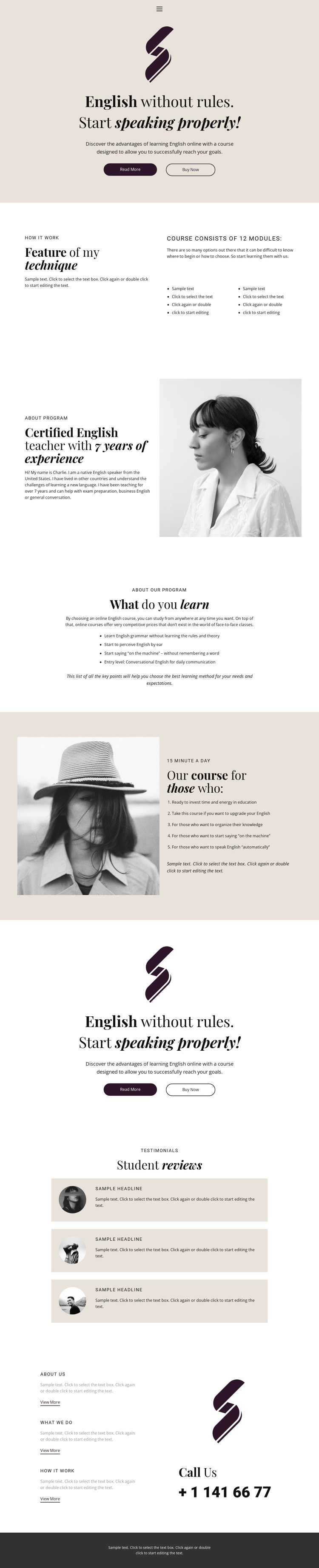
The direct “English without rules” headline gives this design a recognizable starting point, especially for projects that want the course message to lead with conversational confidence rather than a generic education statement. Its choice value also comes from the range of supporting content. The technique section explains how the course is organized and introduces the 12-module structure, so the design can communicate method as well as aspiration. The instructor profile adds a person and portrait, preventing the offer from feeling like an anonymous list of lessons.
Four learning outcomes and five audience statements broaden the course story in different directions. One describes what learners may study, while the other helps visitors decide whether the daily commitment and intended audience fit their situation. The repeated promotional block keeps the main offer visible, and three student review cards provide a separate social-proof area before the contact section. Informational cards and a phone contact then give the page a practical close. These relationships make the template a useful choice for online English instruction that needs a concise but layered presentation: message first, method and person next, relevance and proof afterward, and direct contact at the end. Demo claims and sample values should be replaced with verified course information.
Customize with Nicepage
Open this ready-made template in the Template Builder and customize it visually in the Nicepage editor. Replace demo content, edit page sections, and adapt the design to your project without rebuilding the template from scratch.
Start With a Ready-Made Template
Choose a Design for a New Page
Use a ready-made template as a starting point instead of creating every page from a blank canvas. When adding a new page in Nicepage, browse available designs, compare different layouts, and choose an option that already fits the general purpose and visual direction of your project.
Browse Different Page Designs
Explore Page Designs using search, thematic categories, Design Sets, and full-page previews. The collection includes layouts for different subjects and page purposes, making it easier to compare alternatives before selecting a design to customize.
Customize the Selected Template
After choosing a design, create the page and continue editing it visually in Nicepage. Replace the demo content, adjust images, typography, colors, sections, and other elements, and adapt the ready-made layout to your own content instead of rebuilding the design from the beginning.
Explore More Design Directions
If the first option does not match your project closely enough, return to the design collection and compare other templates before committing to a layout. This makes the template library useful not only for faster page creation, but also for exploring different visual approaches and finding a suitable starting point for a new project.
This workflow gives you access to a broad collection of ready-made designs that can be selected, compared, and customized according to the needs of each new page or project.