Dog clothing fashion Template


An Overlapping Image-and-Card Option for Pet Clothing
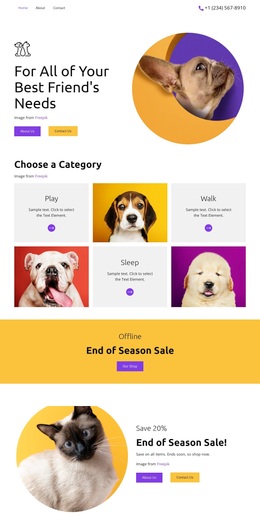
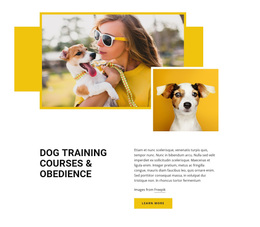
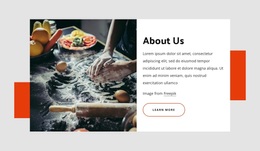
The strongest reason to choose this section is its controlled overlap: the large photograph carries the emotional subject, while the white card interrupts the image just enough to create a clear reading area. The Dog Clothing heading gives the design a direct focus, and the supporting paragraph, attribution line, and Learn more button are grouped inside the same panel. This makes the block suitable when an opening message needs to feel connected to a lifestyle image rather than presented as a detached caption.
The yellow rectangular and circular shapes add a second point of distinction. They frame the photograph and card with visible geometry, creating a bold backdrop while preserving the white panel as the primary text surface. The result is a single static hero arrangement with one image, one message, and one action instead of a crowded set of repeated cards or competing controls. As a ready-made block choice, it can introduce a dog clothing collection or pet-products theme within a broader page, where other sections can provide detail and navigation. Its value comes from the relationship between overlap, contrast, and subject-specific imagery, not from claiming that the section contains a complete shopping experience.
Customize with Nicepage
Open this ready-made template in the Template Builder and customize it visually in the Nicepage editor. Replace demo content, edit page sections, and adapt the design to your project without rebuilding the template from scratch.
Edit Template Offline
2. Create a new page or select existing
3. Click Add new block, search for id 155621 and click enter
Edit Template Online
Create Awesome Websites


Free Nicepage Builder
Keywords
Start With a Ready-Made Template
Choose a Design for a New Page
Use a ready-made template as a starting point instead of creating every page from a blank canvas. When adding a new page in Nicepage, browse available designs, compare different layouts, and choose an option that already fits the general purpose and visual direction of your project.
Browse Different Page Designs
Explore Page Designs using search, thematic categories, Design Sets, and full-page previews. The collection includes layouts for different subjects and page purposes, making it easier to compare alternatives before selecting a design to customize.
Customize the Selected Template
After choosing a design, create the page and continue editing it visually in Nicepage. Replace the demo content, adjust images, typography, colors, sections, and other elements, and adapt the ready-made layout to your own content instead of rebuilding the design from the beginning.
Explore More Design Directions
If the first option does not match your project closely enough, return to the design collection and compare other templates before committing to a layout. This makes the template library useful not only for faster page creation, but also for exploring different visual approaches and finding a suitable starting point for a new project.
This workflow gives you access to a broad collection of ready-made designs that can be selected, compared, and customized according to the needs of each new page or project.