Best services for clients Template


Edit Template Offline
2. Create new page and search for id 12507
Edit Template Online
Create Awesome Websites


Free Nicepage Builder
Keywords
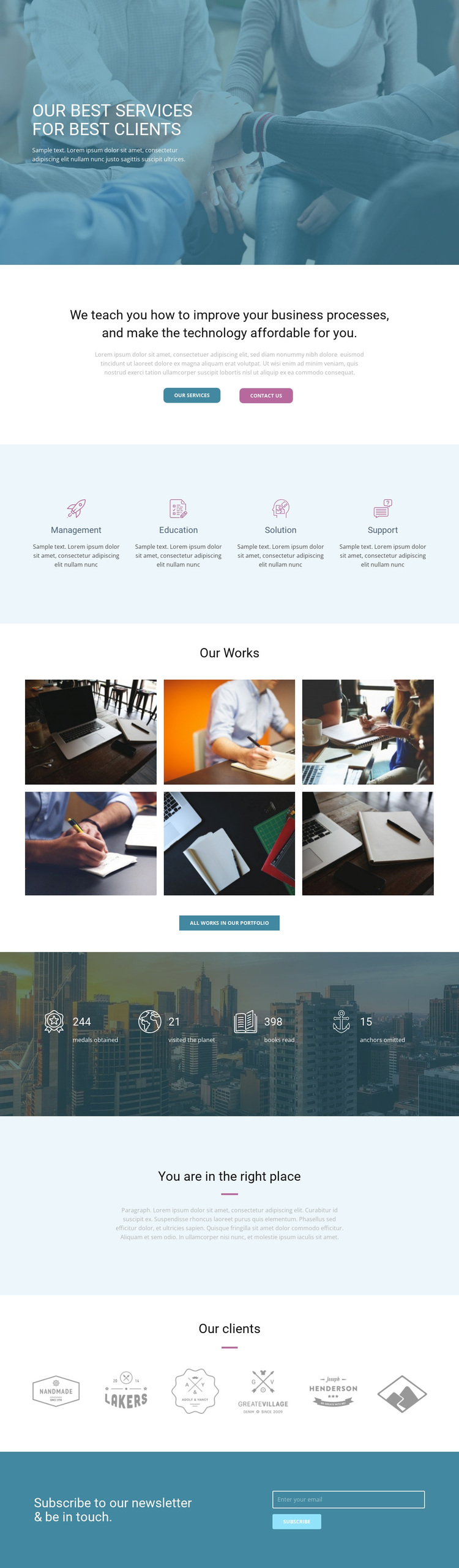
Four service categories give this business design a clear point of difference
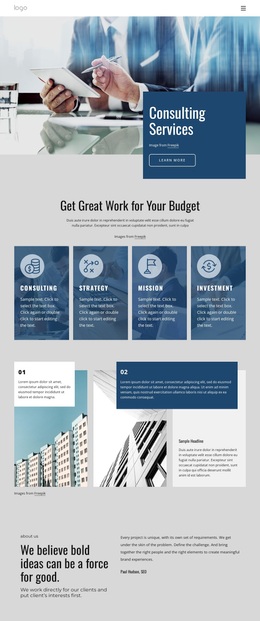
The centered hero, blue photographic overlay, and direct “Our Best Services for best clients” message make the visual proposition immediately identifiable. Rather than relying on a long block of corporate copy, the design breaks the offer into four service categories: Management, Education, Solution, and Support. Their repeated icon-led panels create a concise way to compare the areas of assistance while keeping the page visually open.
The page is also suited to projects that need both explanation and visible evidence. The process-and-technology statement appears before the service panels, establishing the problem area first. The six-image “Our Works” section then changes the emphasis toward selected output, with a dedicated portfolio action for visitors who want more. Six client logo images add another recognizable content layer, while the reassurance section gives the presentation a brief pause before the closing interaction.
This combination makes the design a useful choice for a consulting or technology services project that wants to communicate breadth without presenting a dense corporate site structure. The newsletter form creates an additional way to stay connected, and the service and contact buttons keep the page oriented toward inquiries. The template is therefore distinctive less because of one isolated component than because it joins a photographic introduction, four-part offer, portfolio evidence, client context, and subscription response in one controlled sequence.
Customize with Nicepage
Open this ready-made template in the Template Builder and customize it visually in the Nicepage editor. Replace demo content, edit page sections, and adapt the design to your project without rebuilding the template from scratch.
Start With a Ready-Made Template
Choose a Design for a New Page
Use a ready-made template as a starting point instead of creating every page from a blank canvas. When adding a new page in Nicepage, browse available designs, compare different layouts, and choose an option that already fits the general purpose and visual direction of your project.
Browse Different Page Designs
Explore Page Designs using search, thematic categories, Design Sets, and full-page previews. The collection includes layouts for different subjects and page purposes, making it easier to compare alternatives before selecting a design to customize.
Customize the Selected Template
After choosing a design, create the page and continue editing it visually in Nicepage. Replace the demo content, adjust images, typography, colors, sections, and other elements, and adapt the ready-made layout to your own content instead of rebuilding the design from the beginning.
Explore More Design Directions
If the first option does not match your project closely enough, return to the design collection and compare other templates before committing to a layout. This makes the template library useful not only for faster page creation, but also for exploring different visual approaches and finding a suitable starting point for a new project.
This workflow gives you access to a broad collection of ready-made designs that can be selected, compared, and customized according to the needs of each new page or project.