Successful industrial company Template



Edit Template Offline
2. Create new page and search for id 2479168
Edit Template Online
Create Awesome Websites


Free Nicepage Builder
Keywords
Four feature cards connect expertise with organizational purpose
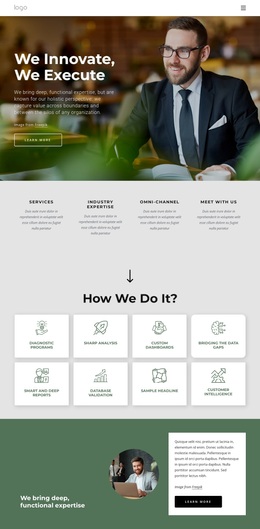
The page stands out through the way it combines personal imagery, repeated cards, and organizational messaging. The opening statement about breakthrough results creates a strong point of entry, but the design quickly adds structure through four Key Features cards. This makes the page suitable for projects that need to explain several consulting capabilities without presenting them as one long paragraph. The cards also establish a repeatable visual pattern that can carry different types of service information.
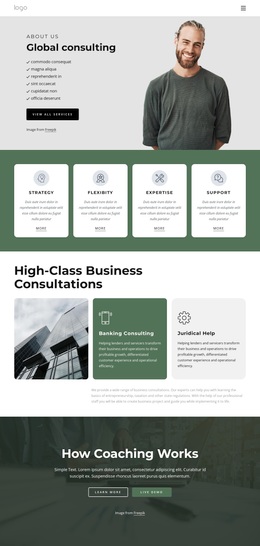
The expert section changes the emphasis from capabilities to people. Three portrait cards give the page a compact team reference, while the Network and Communications Management block gives one capability greater visual weight through a larger image-led composition. The six diversity, equity, and inclusion cards then broaden the subject again, showing how the design can combine service language with statements about organizational values and commitment.
This range is useful when choosing a ready-made design for a consultancy that needs more than a simple hero and contact block. The quotation-style narrative, local-to-global efforts statement, and final free quotation form provide additional content coverage without making every section look identical. Dark forest-green backgrounds, cream surfaces, muted gold accents, rounded white cards, and organic shapes create a recognizable visual direction. The result is a design option for advisory projects that want professional structure with a human, image-led character.
Customize with Nicepage
Open this ready-made template in the Template Builder and customize it visually in the Nicepage editor. Replace demo content, edit page sections, and adapt the design to your project without rebuilding the template from scratch.
Start With a Ready-Made Template
Choose a Design for a New Page
Use a ready-made template as a starting point instead of creating every page from a blank canvas. When adding a new page in Nicepage, browse available designs, compare different layouts, and choose an option that already fits the general purpose and visual direction of your project.
Browse Different Page Designs
Explore Page Designs using search, thematic categories, Design Sets, and full-page previews. The collection includes layouts for different subjects and page purposes, making it easier to compare alternatives before selecting a design to customize.
Customize the Selected Template
After choosing a design, create the page and continue editing it visually in Nicepage. Replace the demo content, adjust images, typography, colors, sections, and other elements, and adapt the ready-made layout to your own content instead of rebuilding the design from the beginning.
Explore More Design Directions
If the first option does not match your project closely enough, return to the design collection and compare other templates before committing to a layout. This makes the template library useful not only for faster page creation, but also for exploring different visual approaches and finding a suitable starting point for a new project.
This workflow gives you access to a broad collection of ready-made designs that can be selected, compared, and customized according to the needs of each new page or project.