New Look Template


Edit Template Offline
2. Create new page and search for id 12448
Edit Template Online
Create Awesome Websites


Free Nicepage Builder
Keywords
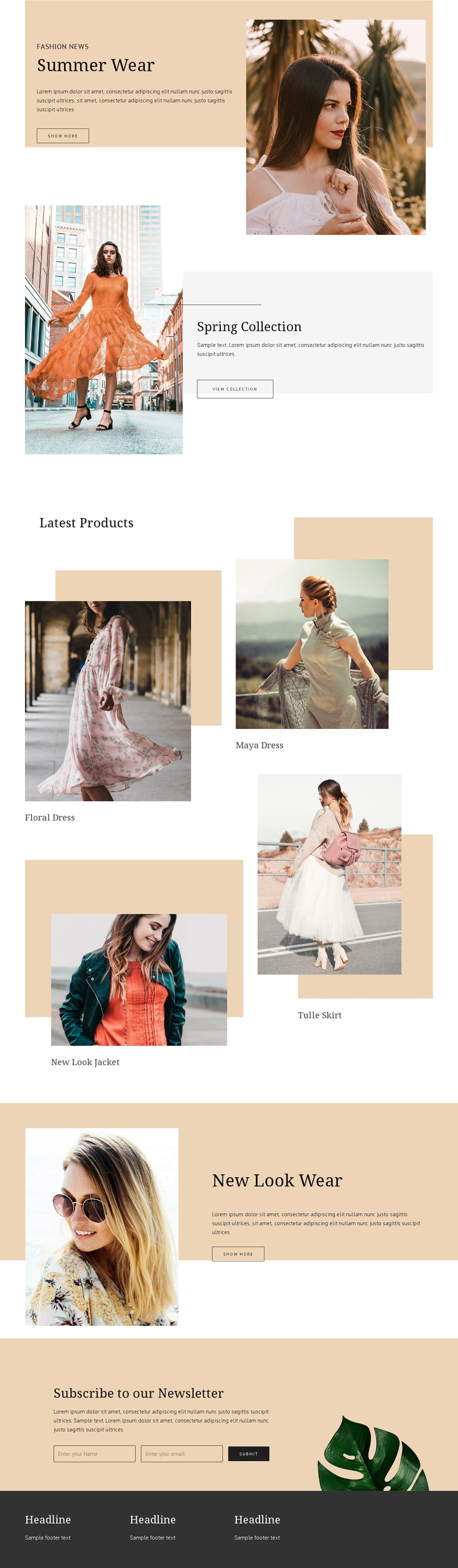
Four Labeled Apparel Items Anchor a Magazine-Like Storefront Choice
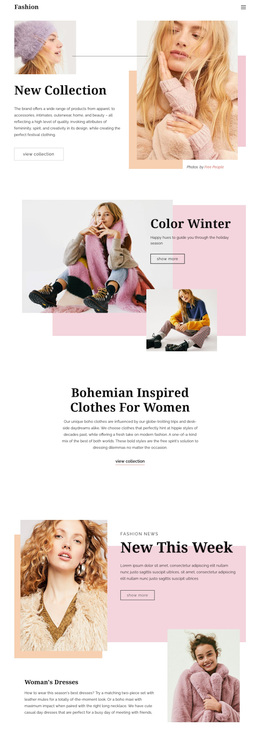
The strongest reason to choose New Look is the way it combines collection storytelling with identifiable product content. Summer Wear and Spring Collection provide two seasonal entry points, each pairing fashion photography with a compact promotional message and shopping action. New Look Wear adds a third apparel-focused promotion, so the page can present both seasonal themes and a broader store identity without depending on long explanatory copy.
The Latest Products section gives that visual direction a concrete catalog center. Floral Dress, Maya Dress, New Look Jacket, and Tulle Skirt are displayed as four labeled fashion units with varied image sizes and offsets. These names should be treated as sample product labels rather than verified commercial inventory, but they demonstrate how the layout accommodates individual apparel choices inside an editorial composition. The result suits a project that wants product browsing to feel curated and image-led instead of organized as a plain, repetitive list.
The lower newsletter area adds useful content coverage beyond immediate shopping. Its centered subscription copy, email field, Subscribe action, beige background, and decorative shoe image create a distinct follow-up moment for visitors who are not ready to browse further. A dark footer with three information columns then gives the page a clear conclusion. Together, the collection promotions, four product units, subscription block, and restrained palette make this design a focused option for fashion projects that want a boutique editorial presentation.
Customize with Nicepage
Open this ready-made template in the Template Builder and customize it visually in the Nicepage editor. Replace demo content, edit page sections, and adapt the design to your project without rebuilding the template from scratch.
Start With a Ready-Made Template
Choose a Design for a New Page
Use a ready-made template as a starting point instead of creating every page from a blank canvas. When adding a new page in Nicepage, browse available designs, compare different layouts, and choose an option that already fits the general purpose and visual direction of your project.
Browse Different Page Designs
Explore Page Designs using search, thematic categories, Design Sets, and full-page previews. The collection includes layouts for different subjects and page purposes, making it easier to compare alternatives before selecting a design to customize.
Customize the Selected Template
After choosing a design, create the page and continue editing it visually in Nicepage. Replace the demo content, adjust images, typography, colors, sections, and other elements, and adapt the ready-made layout to your own content instead of rebuilding the design from the beginning.
Explore More Design Directions
If the first option does not match your project closely enough, return to the design collection and compare other templates before committing to a layout. This makes the template library useful not only for faster page creation, but also for exploring different visual approaches and finding a suitable starting point for a new project.
This workflow gives you access to a broad collection of ready-made designs that can be selected, compared, and customized according to the needs of each new page or project.