Sunglasses Template


Edit Template Offline
2. Create new page and search for id 13030
Edit Template Online
Create Awesome Websites


Free Nicepage Builder
Keywords
Four Named Designs Give This Collection a Distinctive Direction
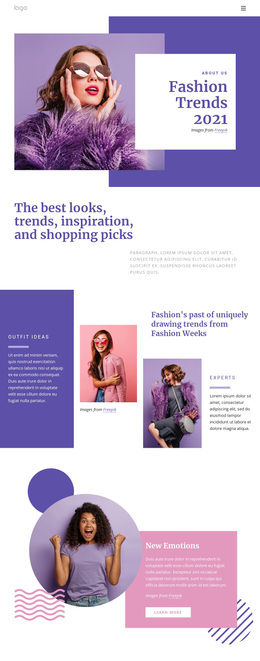
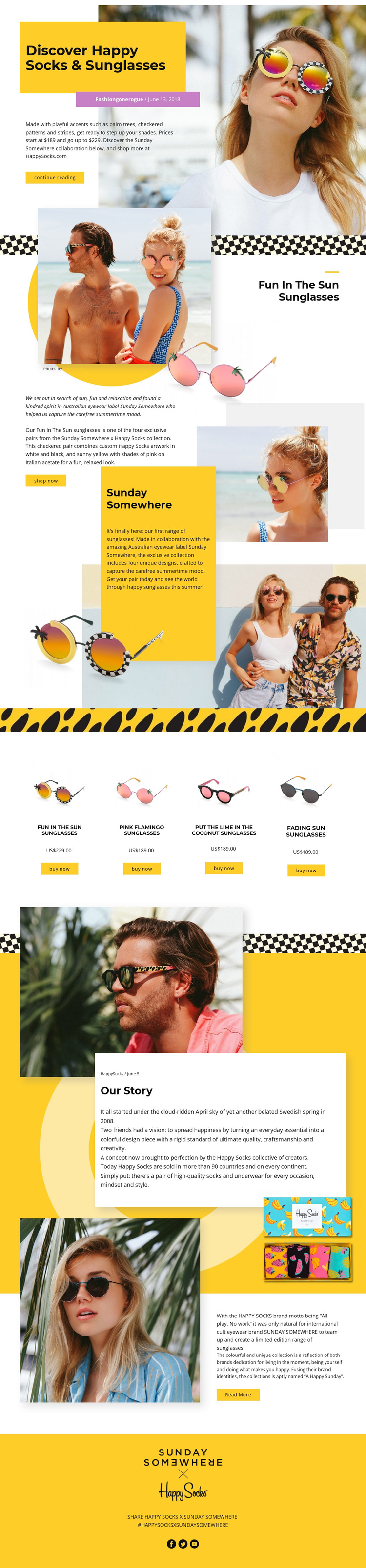
The strongest reason to choose this design is the way it treats sunglasses as both products and editorial subjects. The opening “Discover Happy Socks & Sunglasses” section uses a large fashion portrait, bold title panel, and short introduction to establish a playful collection mood before the products are compared. Full-width lifestyle images reinforce that visual storytelling by separating the main narrative into clear moments rather than filling every area with dense product information.
The product coverage is also specific. Four named designs—Fun In The Sun Sunglasses, Pink Flamingo Sunglasses, Put The Lime In The Coconut Sunglasses, and Fading Sun Sunglasses—appear as a related set with imagery, prices, and buy now actions. This makes the template a useful option for a small collection where each item needs visibility but should still belong to one campaign. The featured Fun in The Sun story adds an additional editorial layer through overlapping product and lifestyle photography, descriptive copy, and a shop now action.
Brand context gives the page a broader identity than a simple catalog. Sunday Somewhere and Happy Socks are presented through collaboration copy, About Us sections, and an Our Story panel, while the closing social area includes Facebook, Twitter, and YouTube links. The result suits a fashion project that wants product choice, lifestyle atmosphere, and collaboration storytelling to work together in one memorable design direction.
Customize with Nicepage
Open this ready-made template in the Template Builder and customize it visually in the Nicepage editor. Replace demo content, edit page sections, and adapt the design to your project without rebuilding the template from scratch.
Start With a Ready-Made Template
Choose a Design for a New Page
Use a ready-made template as a starting point instead of creating every page from a blank canvas. When adding a new page in Nicepage, browse available designs, compare different layouts, and choose an option that already fits the general purpose and visual direction of your project.
Browse Different Page Designs
Explore Page Designs using search, thematic categories, Design Sets, and full-page previews. The collection includes layouts for different subjects and page purposes, making it easier to compare alternatives before selecting a design to customize.
Customize the Selected Template
After choosing a design, create the page and continue editing it visually in Nicepage. Replace the demo content, adjust images, typography, colors, sections, and other elements, and adapt the ready-made layout to your own content instead of rebuilding the design from the beginning.
Explore More Design Directions
If the first option does not match your project closely enough, return to the design collection and compare other templates before committing to a layout. This makes the template library useful not only for faster page creation, but also for exploring different visual approaches and finding a suitable starting point for a new project.
This workflow gives you access to a broad collection of ready-made designs that can be selected, compared, and customized according to the needs of each new page or project.