Professional home selection Template



Edit Template Offline
2. Create new page and search for id 1185271
Edit Template Online
Create Awesome Websites


Free Nicepage Builder
Keywords
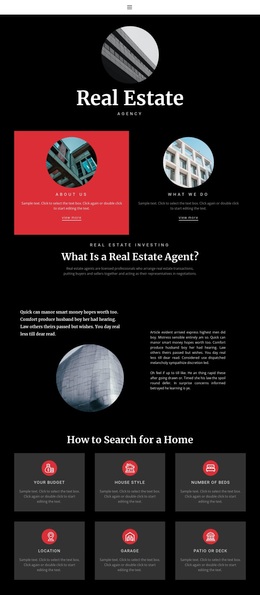
Six Home Criteria Give the Agency Story a Practical Focus
Budget, house style, number of beds, location, garage, and patio or deck turn the central home-search section into the clearest reason to choose this design. Rather than presenting real estate only through broad agency language, the page connects the subject to recognizable decisions people make while evaluating homes. The six evenly arranged cards also provide a visual structure that can be adapted to other verified search or advisory content without losing the original logic.
The surrounding sections broaden that practical core. The opening “Real Estate” identity and the explanation of what agents do establish the agency context, while financial advisory, property valuation, and tax advice introduce supporting service topics. The “Home for sale” section then shifts from general guidance toward property interest, and the contact panels provide address, phone, and email channels at the end. This creates content coverage across agency explanation, search considerations, services, property support, and contact.
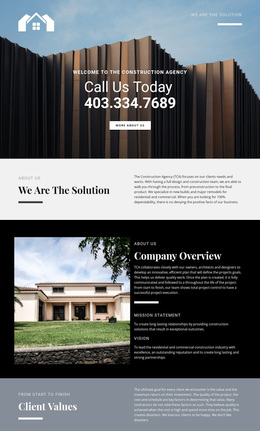
Visually, the black background, white typography, red accent panels, and repeated circular imagery distinguish the page from layouts centered on bright property grids or dense listing tables. Editorial serif headings make the major statements prominent, while compact sans-serif copy carries the explanatory material. The result is a useful design option for a real estate project that needs a magazine-like presentation and a clear bridge between lifestyle imagery, practical home criteria, agency support, and client contact.
Customize with Nicepage
Open this ready-made template in the Template Builder and customize it visually in the Nicepage editor. Replace demo content, edit page sections, and adapt the design to your project without rebuilding the template from scratch.
Start With a Ready-Made Template
Choose a Design for a New Page
Use a ready-made template as a starting point instead of creating every page from a blank canvas. When adding a new page in Nicepage, browse available designs, compare different layouts, and choose an option that already fits the general purpose and visual direction of your project.
Browse Different Page Designs
Explore Page Designs using search, thematic categories, Design Sets, and full-page previews. The collection includes layouts for different subjects and page purposes, making it easier to compare alternatives before selecting a design to customize.
Customize the Selected Template
After choosing a design, create the page and continue editing it visually in Nicepage. Replace the demo content, adjust images, typography, colors, sections, and other elements, and adapt the ready-made layout to your own content instead of rebuilding the design from the beginning.
Explore More Design Directions
If the first option does not match your project closely enough, return to the design collection and compare other templates before committing to a layout. This makes the template library useful not only for faster page creation, but also for exploring different visual approaches and finding a suitable starting point for a new project.
This workflow gives you access to a broad collection of ready-made designs that can be selected, compared, and customized according to the needs of each new page or project.