Urban real estate Template


Edit Template Offline
2. Create new page and search for id 32311
Edit Template Online
Create Awesome Websites


Free Nicepage Builder
Keywords
Architectural Photography Meets a Multidisciplinary Agency Story
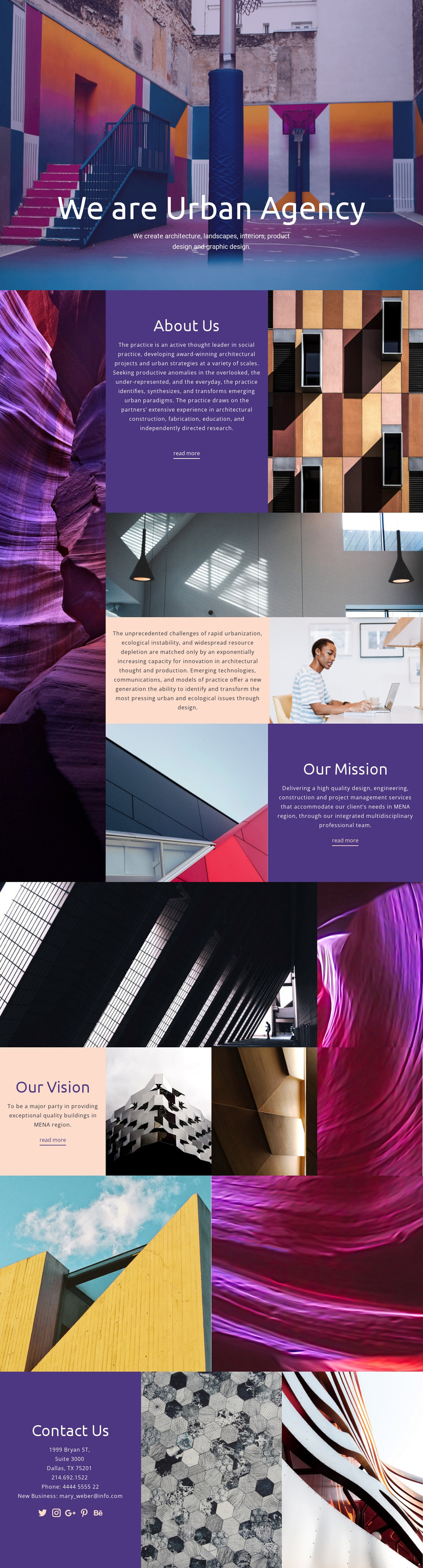
Large architectural images make the subject immediately recognizable, but the design is not limited to a portfolio grid. The opening combines a full-width photograph with the agency introduction and a list of disciplines spanning architecture, landscapes, interiors, product design, and graphic design. That breadth gives the template a useful starting point for a practice that wants to present several related capabilities without dividing them into disconnected visual styles.
Its strongest distinction is the way colored panels carry About Us, Our Mission, and Our Vision while image panels remain active around them. The page can move from practice description to urban and ecological context, then to mission and vision, without losing its editorial collage character. Two image-only galleries add visual emphasis between those statements, and the Contact Us panel gives the presentation a practical ending with phone, email, location, and social-link content. This makes the design worth choosing when a project needs more than a generic corporate homepage: it needs a visually assertive agency profile where imagery establishes atmosphere and structured statements explain the practice’s direction. The combination also accommodates both service-led messaging and image-led storytelling within one coherent page.
Customize with Nicepage
Open this ready-made template in the Template Builder and customize it visually in the Nicepage editor. Replace demo content, edit page sections, and adapt the design to your project without rebuilding the template from scratch.
Start With a Ready-Made Template
Choose a Design for a New Page
Use a ready-made template as a starting point instead of creating every page from a blank canvas. When adding a new page in Nicepage, browse available designs, compare different layouts, and choose an option that already fits the general purpose and visual direction of your project.
Browse Different Page Designs
Explore Page Designs using search, thematic categories, Design Sets, and full-page previews. The collection includes layouts for different subjects and page purposes, making it easier to compare alternatives before selecting a design to customize.
Customize the Selected Template
After choosing a design, create the page and continue editing it visually in Nicepage. Replace the demo content, adjust images, typography, colors, sections, and other elements, and adapt the ready-made layout to your own content instead of rebuilding the design from the beginning.
Explore More Design Directions
If the first option does not match your project closely enough, return to the design collection and compare other templates before committing to a layout. This makes the template library useful not only for faster page creation, but also for exploring different visual approaches and finding a suitable starting point for a new project.
This workflow gives you access to a broad collection of ready-made designs that can be selected, compared, and customized according to the needs of each new page or project.